VS1 Operations and Maintenance Manual Operating the transmitter
Page 2-106 Issue 3.1 2013-10-01
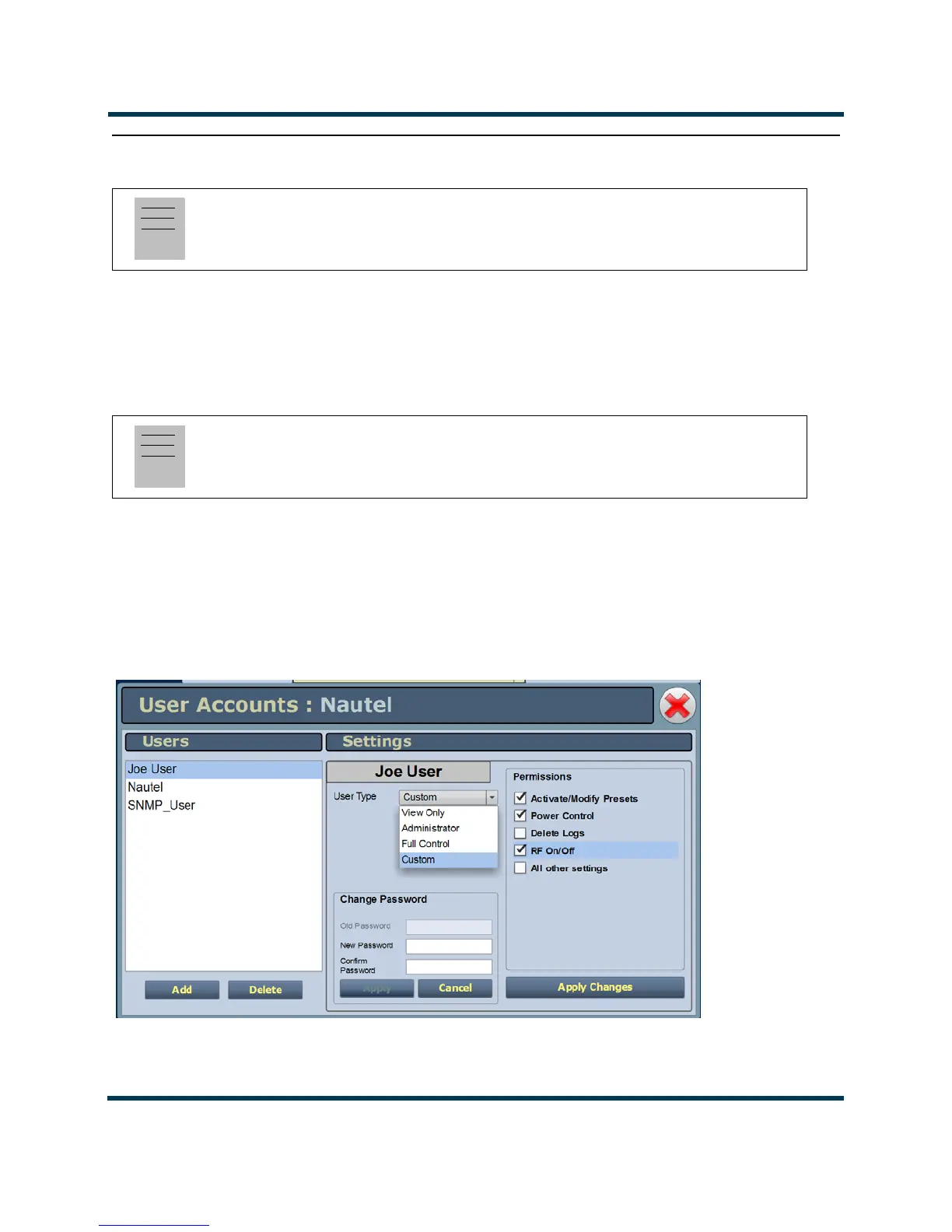
Setting User Accounts
Depending on user permissions, you can set up accounts to allow certain users to access and control
features of the AUI using the User Accounts Page - see Figure 2.95. To view the User Accounts page,
select User Accounts from the Menu options. Click X in the upper, right corner to close this page,
discard changes and return to the home page.
The VS1 contains a default user account when it leaves the factory. This account appears as Nautel
(Auto) in the List of Users and has Super User permission level. The default Username is “Nautel”.
The default Password is blank (i.e., no password). Nautel recommends that you delete this account
once you create the desired user account(s) (see First-Time Login on page 2-108).
Figure 2.95: User Accounts Page
Note:
This function is only available via remote connection to the AUI.
Note:
Depending on the permission level assigned to a given user, some features shown in Figure 2.95
may not be displayed or available.



 To Next Page