VS1 Operations and Maintenance Manual Operating the transmitter
Page 2-158 Issue 3.1 2013-10-01
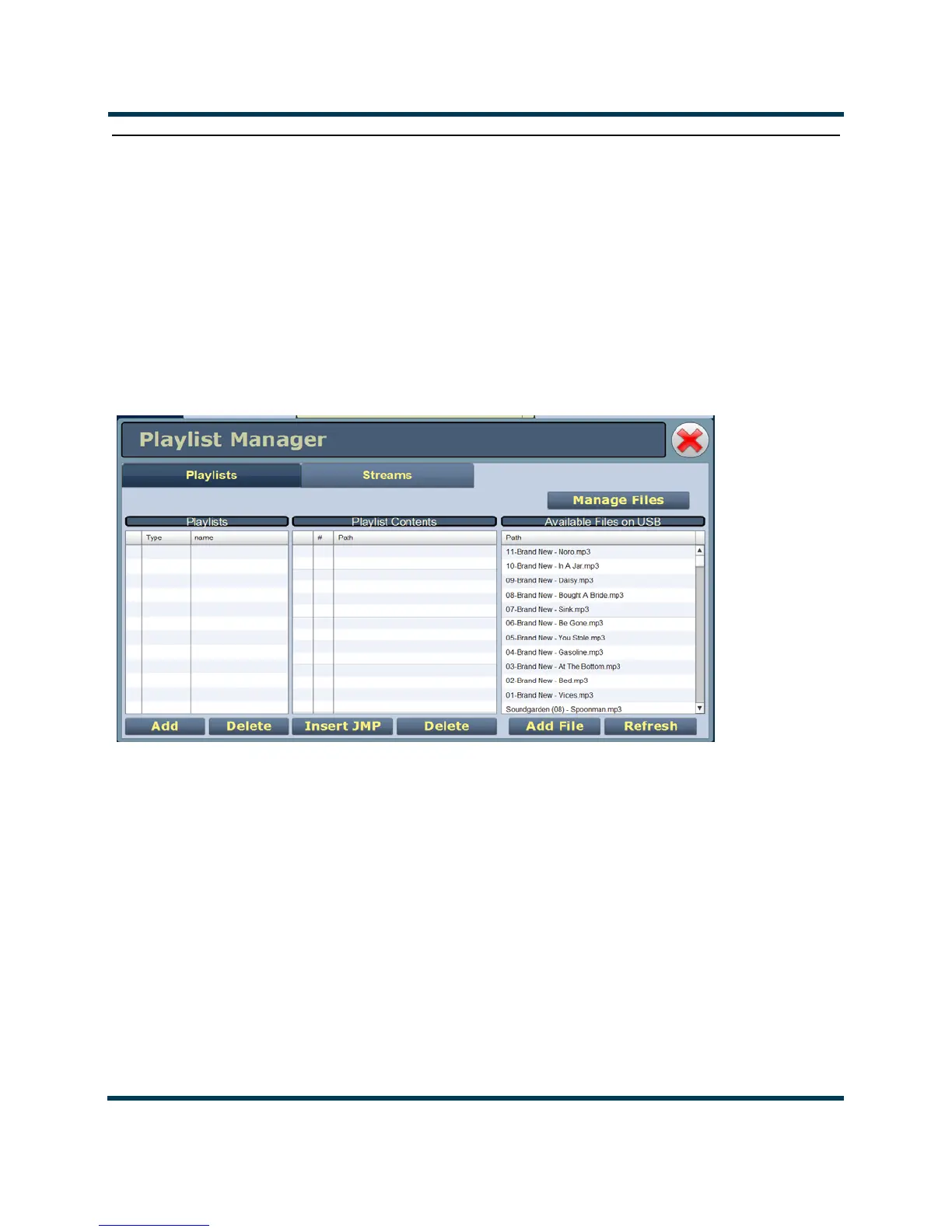
Playlist Manager
The built-in audio player (see Figure 2.142) can use a file playlist, Livewire or Shoutcast as an audio
source. These sources must be configured before they can be used. This section describes how to
configure audio player sources. To view the
Playlist Manager page, select Playlist from the Menu
options. The Playlist Manager page has two selectable tabs:
• Playlist - see page 2-159
• Streams on page 2-161
Figure 2.142: Playlist Manager - Playlist Tab Shown
The playlist (or Shoutcast/Livewire stream) is typically used as an audio loss backup. For example, the
user may operate with Preset 1 using one of the standard audio sources. Preset 1 can be configured to
switch to another preset (e.g., Preset 2), which uses a playlist or stream, if Preset 1 loses its audio. See
“Configuring a Mod Loss Backup Preset” on page 4-4 for more information.
Playlist/stream presets can also be activated by the Scheduler (see Enabling the Scheduler on page 2-
156).



 To Next Page