VS1 Operations and Maintenance Manual Non-standard maintenance
Issue 3.1 2013-10-01 Page 4-5
Configuring an audio loss backup preset
The VS1 contains an audio level detection circuit that can be used, when enabled, to allow switching
to a secondary (backup) audio input source upon the loss of the primary source. Configure the
desired transmitter preset to perform this function as follows (refer also to Section 2 of this manual
for operating instructions of the front panel (UI) and remote (AUI) interfaces:
Configuring the backup audio preset
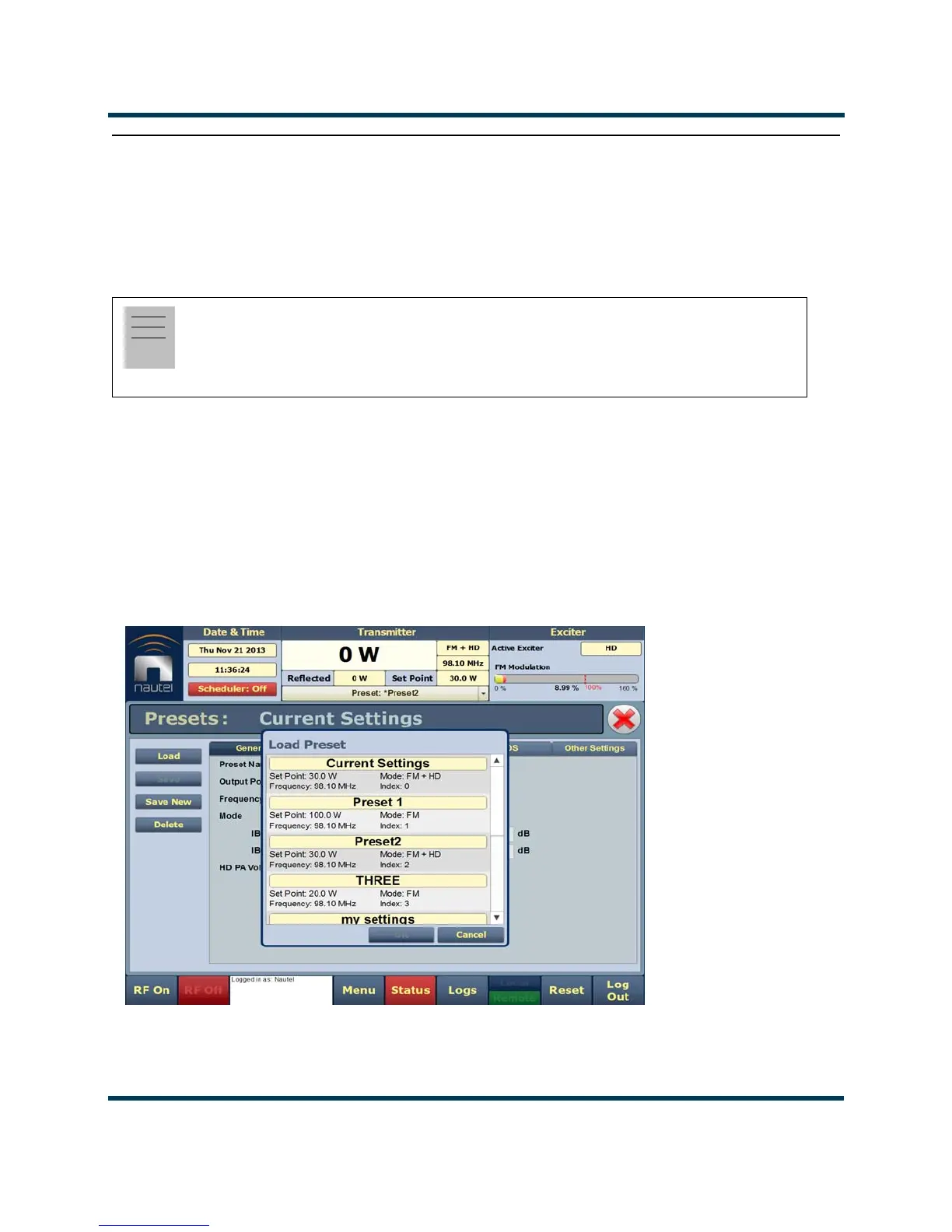
1. From the transmitter remote AUI, go to Menu/Presets/Load. The Load Preset window in
Figure 4.1 shall display.
2. Select a suitable preset to use as a template to create a new backup audio preset. Click OK.
Figure 4.1: Load the Backup Preset Template
Note:
You must configure a minimum of two presets to allow this feature to operate. One preset will act
as the primary , or normal operating preset. The second preset will act as the secondary, or backup
audio preset. Configure the backup audio preset first.



 To Next Page