VS1 Operations and Maintenance Manual Operating the transmitter
Page 2-112 Issue 3.1 2013-10-01
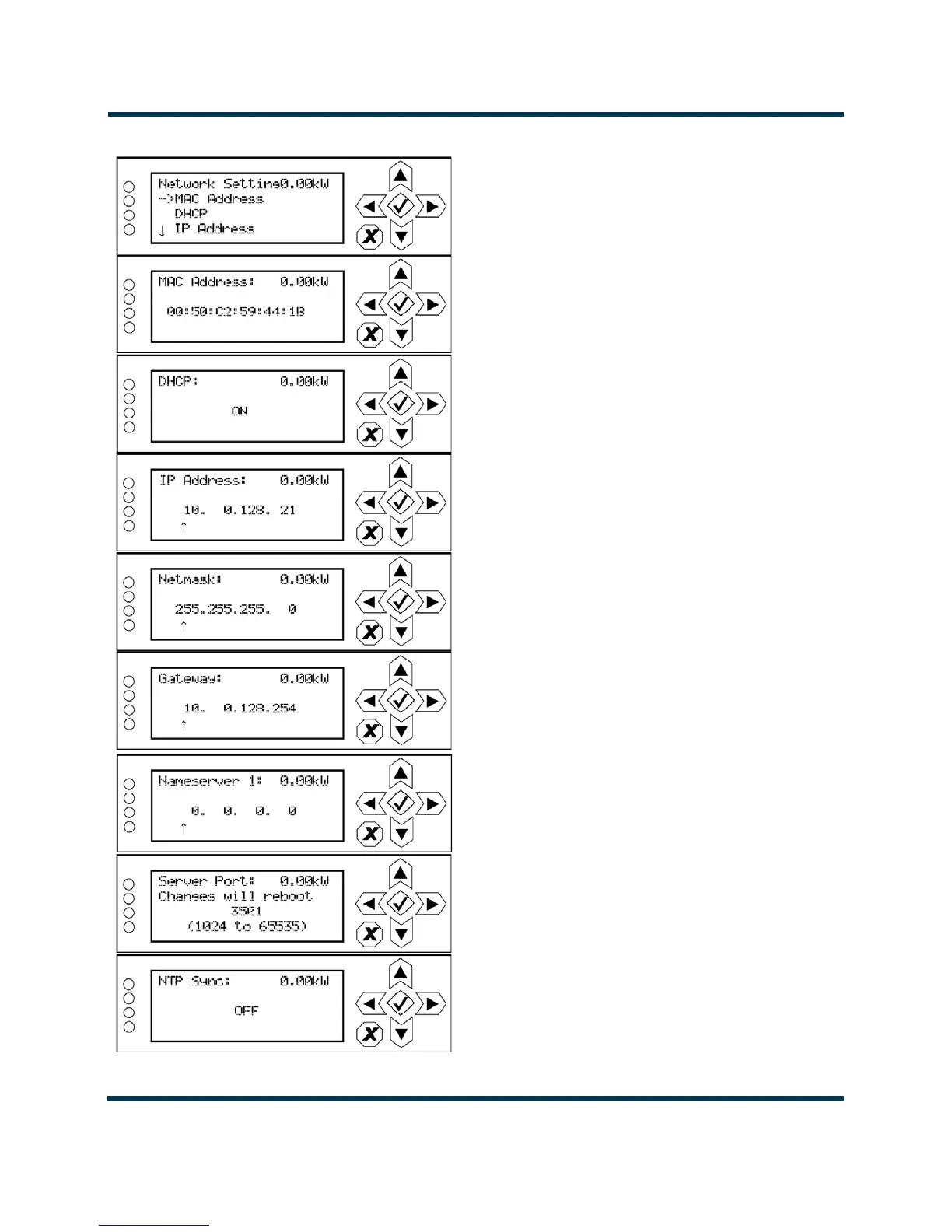
Figure 2.97: Network Settings Screens
Displays a number that serves as unique network adapter iden-
tifier. This is set by the manufacturer and is displayed for infor-
mational purposes only (cannot be user set). It may be
necessary to use this number to allow the AUI to access your
network.
Set to ON to automatically assign the IP Address, Netmask,
Gateway, Nameserver 1 and Nameserver 2 by the access point
(i.e., a router) or set to OFF to manually assign. In either case,
the access point must be configured with the correct settings,
which match the settings on the AUI in order for the AUI to
access the network.
All addresses shown are for
reference purposes only
Address that identifies the DNS host. The DNS (Domain Name
System) translates internet domain and host names to IP
addresses. DNS automatically converts the name typed into a
web browser address bar to the IP addresses of web servers
hosting those sites. If DHCP is set to OFF, specify the address.
Masks an IP address, and divides the IP address into network
address and host address. If DHCP was set to OFF, specify net-
mask. Typical netmask address shown. Consult with your net-
work administrator.
Used to identify the senders and receivers of messages. Also
supports port forwarding (remapping) which allows the AUI of
multiple transmitters to be accessed on the same network. See
your network router documentation for additional remapping
information and instructions. NOTE: Changes to this port are
reset to 3501 after a software upgrade; reconfigured the port, as
required, after an upgrade.
NTP = Network Time Protocol.
Set to ON to allow the network to synchronize to the transmitter
time.
Set to OFF to use the transmitter’s internal time reference.
Displays a unique numerical network identifier for the transmit-
ter. If DHCP was set to OFF, specify the IP address. Consult
with your network administrator.
Denies the address of the network access point. If DHCP was
set to OFF, specify the gateway address. Consult with your
network administrator.



 To Next Page