VS1 Operations and Maintenance Manual Operating the transmitter
Issue 3.1 2013-10-01 Page 2-125
Spectrum mask
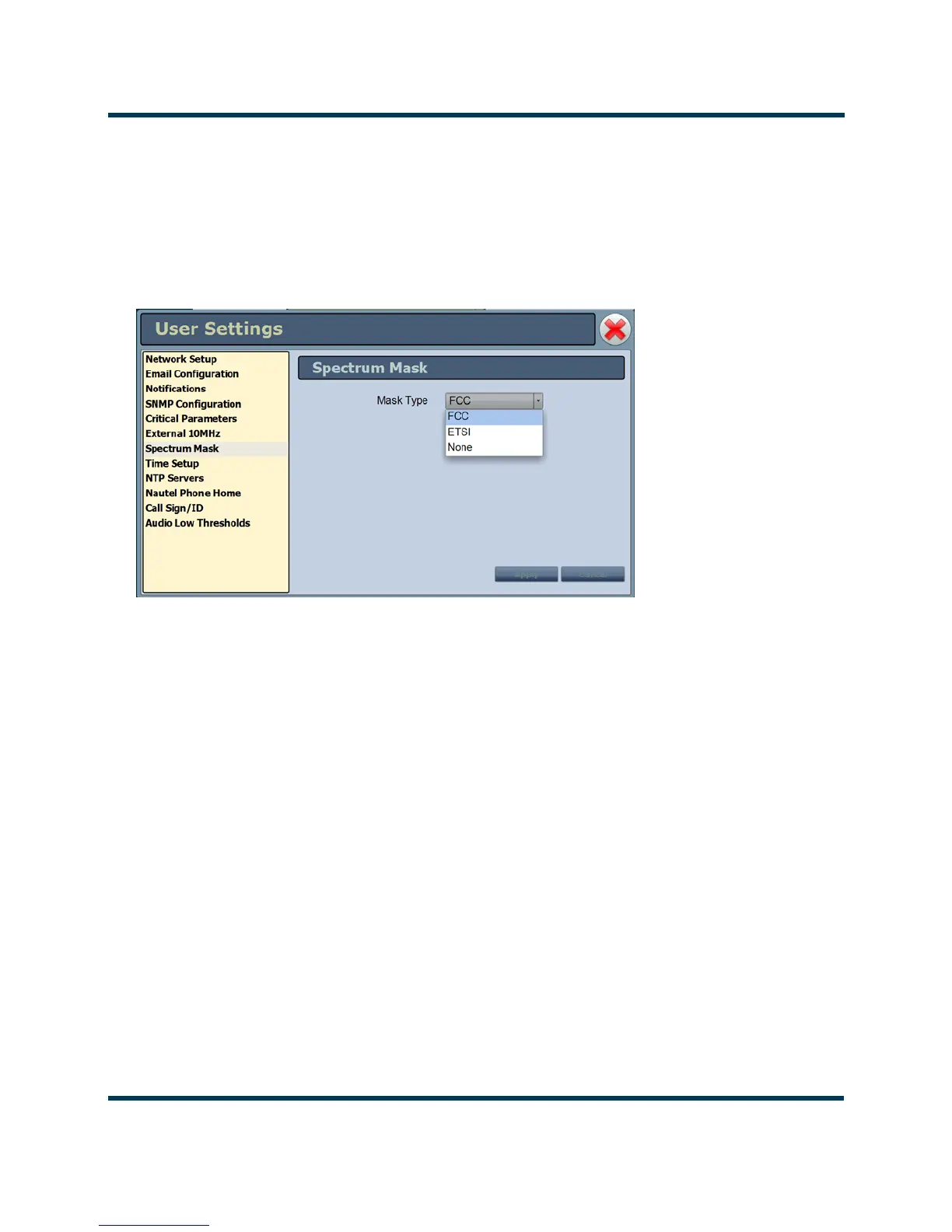
Using the Spectrum Mask setting (see Figure 2.108) users can select the appropriate FM mask
standard (
FCC, ETSI or None) being used by the analyzer. The selection affects the mask lines on the
Spectrum Analyzer instrument. Use the
Mask Type pull down menu to select the desired mask (the
factory setting is FCC). Press the Apply button to save the change or press Cancel to discard changes.
Figure 2.108: User Settings - Spectrum Mask
Setting the Clock
The VS1 controller module’s internal clock uses an externally accessible backup battery, and therefore
maintains an accurate date and time, even during power outages. The date and time needs to be set
when the transmitter is first installed, or after a power outage if the backup battery has failed.
You can set the date and time using the remote AUI (see Setting the Clock - Using the AUI) or using
the local front panel display (see Setting the Clock - Using the Front Panel on page 2-127). If you
change the clock setting on the front panel UI, it will also be reflected on the remote AUI, and vice
versa. If the NTP feature is enabled (see Setting the Clock - Using the Front Panel on page 2-127),
the clock will set automatically and cannot be manually adjusted.
Setting the Clock - Using the AUI
You can remotely set the VS1’s time and date using the AUI’s
Time Setup page (see Figure 2.109 on
page 2-126) by selecting
Time Setup from the User Settings options. The date and time setting is
displayed in the upper, left corner of the AUI.



 To Next Page