VS1 Operations and Maintenance Manual Operating the transmitter
Page 2-126 Issue 3.1 2013-10-01
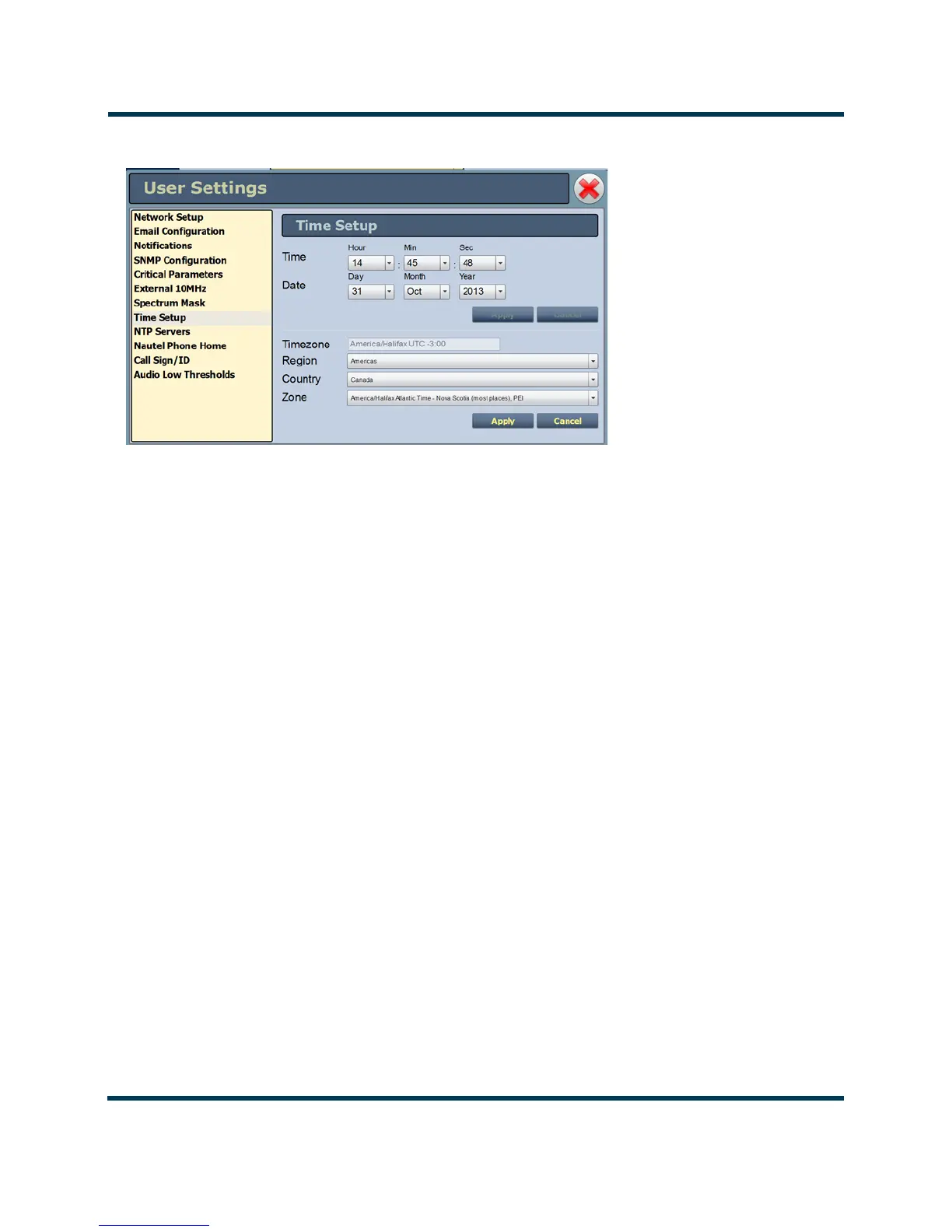
Figure 2.109: User Settings - Time Setup
The Time Setup option allows users to set the exact time and date information as well as regional and
timezone settings for a transmitter location.
Procedure to set up the time and date:
1. Select the Time Setup option from the left-side of the User Settings page to open a related
window on the right-side of the page.
2. Enter Time and Date parameters and press Apply. Press Cancel to discard changes. Please
note that Time and Date cannot be set via this menu if NTP is enabled (see Setting the
Clock - Using the Front Panel on page 2-127).
• Time - enter the hour (24-hour clock), minutes (up to 60), and seconds (up to 60).
•
Date - select values from the drop-down menus beside Day, Month, and Year.
3. Enter the following location parameters and press Apply. Press Cancel to discard changes:
• Timezone - automatically set based on Region, Country and Zone selections.
• Region - select the appropriate region from the drop-down menu.
• Country - select the appropriate country from the drop-down menu.
• Zone - select the appropriate zone from the drop-down menu.
The Time Setup page contains editable fields for the time (hours, minutes and seconds), date (day,
month and year) and time zone (region, country and zone). The clock is displayed in 24-hour format.
Use the drop-down menus to select the desired value for a specific field. Click the appropriate
Apply
button to accept changes or
Cancel to discard them.



 To Next Page