VS1 Operations and Maintenance Manual Operating the transmitter
Issue 3.1 2013-10-01 Page 2-127
Setting the Clock - Using the Front Panel
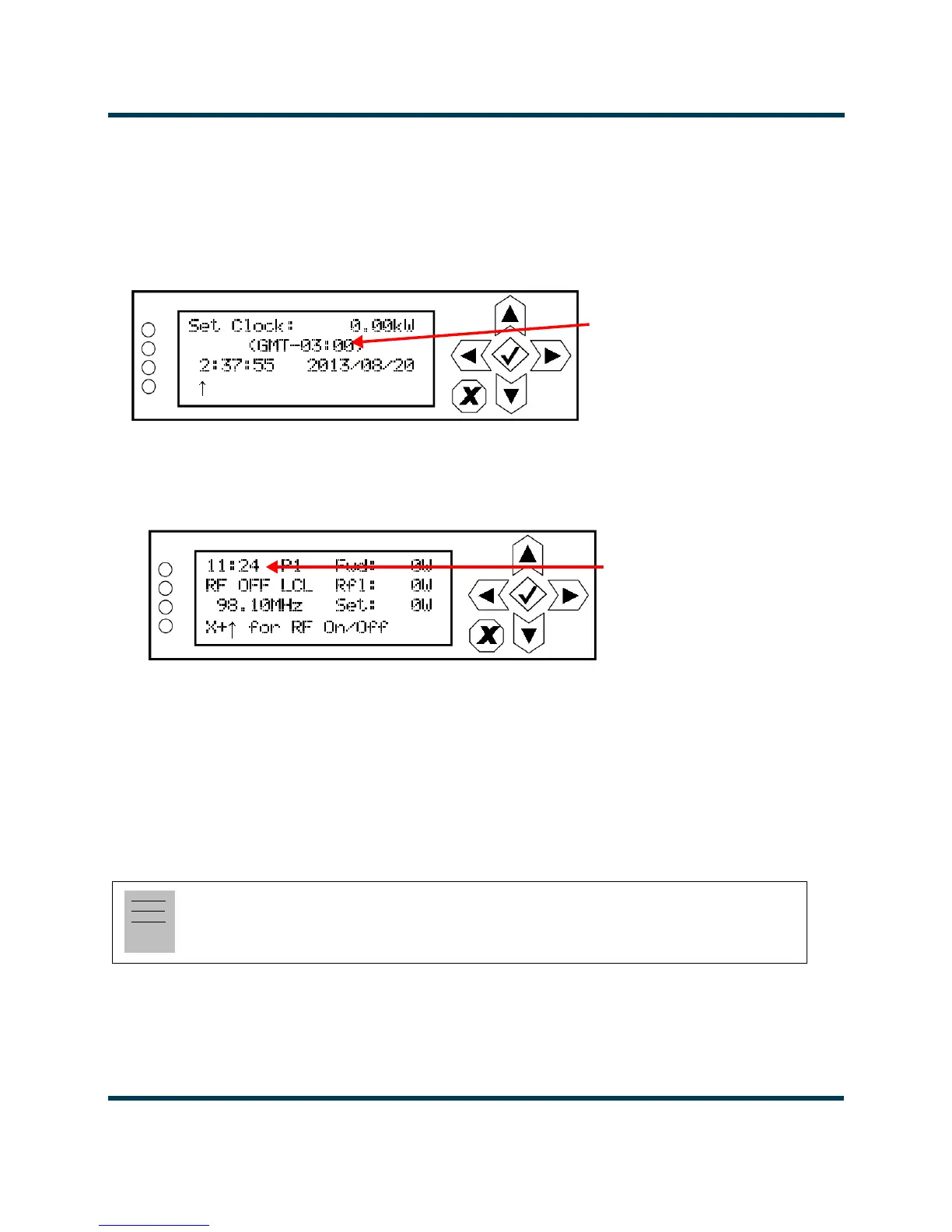
When you select User Settings -> Set Clock from the Main Menu (see Figure 2.110) you can set the
current time and date. The time appears on the top line of the top level screen (see Figure 2.4 on page
2-10).
Figure 2.110: Set Clock screen
Figure 2.111: Time Display on Top Level Screen
To change the time or date, use the right and left arrow buttons to move the cursor to the desired
field (hours, minutes, seconds, year, month, day), and use the up and down arrow buttons to increase
or decrease the value of the selected field as desired. When complete, press the accept (checkmark)
button to save the change. Press the cancel (X) button to discard changes and return to the previous
menu.
Note:
The time zone offset line (e.g., GMT-03:00) (see Figure 2.110) appears only if the
Timezone
has been established in the remote AUI’s
Time Setup page.
Time zone offset
(displayed only if the Timezone is
set via the remote AUI)
Time display



 To Next Page