VS1 Operations and Maintenance Manual Operating the transmitter
Page 2-128 Issue 3.1 2013-10-01
NTP servers
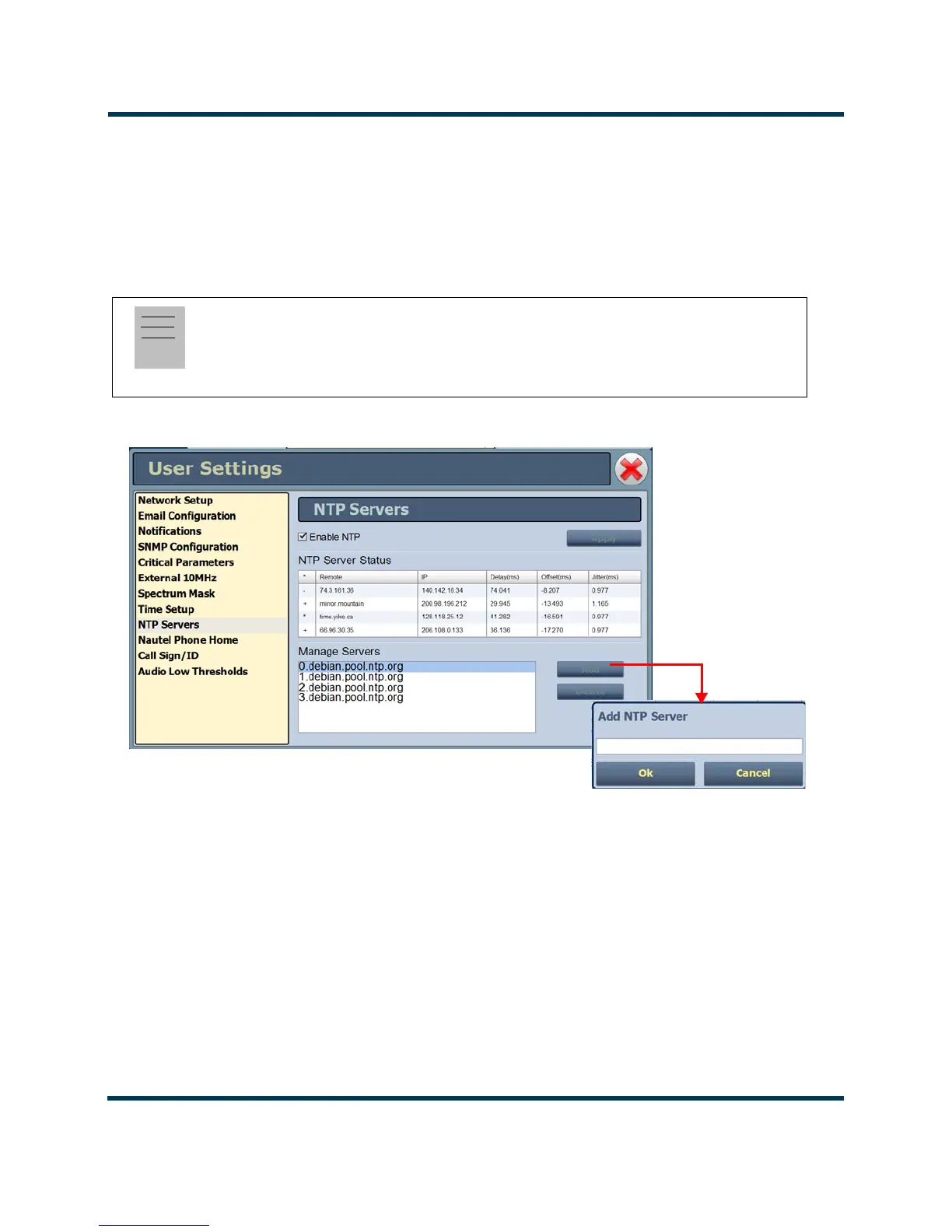
You can configure one or more NTP (Network Time Protocol) servers to allow clock
synchronization with all computers on the same network as the transmitter. To view the AUI’s
NTP
Servers
page (see Figure 2.112), select NTP Servers from the User Settings options. There are
several functions available on this page - enabling NTP, monitoring NTP server status and managing
servers.
Figure 2.112: User Settings - NTP Servers
Enabling NTP
Enable the NTP function by selecting the Enable NTP checkbox. Disable by de-selecting the Enable
NTP
checkbox. Press the Apply button to activate any change.
Monitoring NTP Servers
The
NTP Server Status section displays tabular information on the NTP servers connected to the
network. The table includes remote name, IP address, delay, offset and jitter.
Note:
The accuracy of the NTP synchronization is related to the distance to the server. For this reason,
Nautel recommends that you choose servers in the same country as the equipment. If this is not
possible, attempt to connect to servers from the same continent.



 To Next Page