VS1 Operations and Maintenance Manual Operating the transmitter
Page 2-164 Issue 3.1 2013-10-01
Configuring the Transmitter for the Orban Audio Processor
Configure the VS1 to recognize the presence of the Orban card using the front panel UI as follows:
1. With the transmitter turned on and in local mode of operation, navigate to the front panel
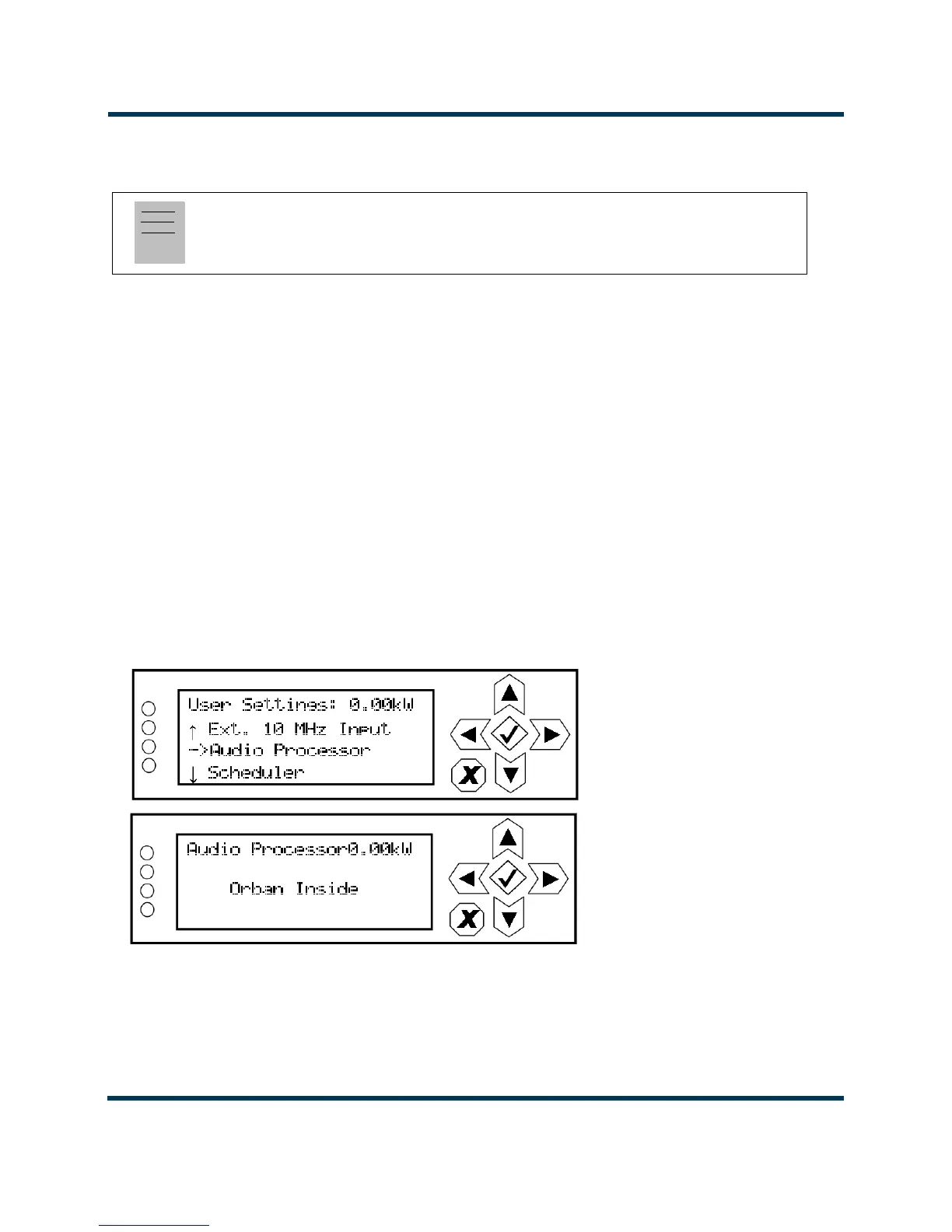
UI's Main Menu -> User Settings menu. Scroll down through this menu and select Audio
Processor
(see Figure 2.147).
2. In the Audio Processor screen( see Figure 2.147), use the up and down buttons to toggle
between None and Orban Inside (default factory seting is None). Select Orban Inside to
enable the Orban audio processor for use (selecting None disables it). Press the accept
(checkmark) button to save the change. Press cancel (X) to discard changes and return to the
previous menu.
3. Reboot the transmitter by switching the ac power off and then on. This will ensure the
transmitter properly detects the Orban Inside card upon recovery.
Figure 2.147: Configuring the Transmitter - User Settings / Audio Processor Screens
Note:
Audio processor configuration is only available using the front panel display.



 To Next Page