VS1 Operations and Maintenance Manual Operating the transmitter
Page 2-166 Issue 3.1 2013-10-01
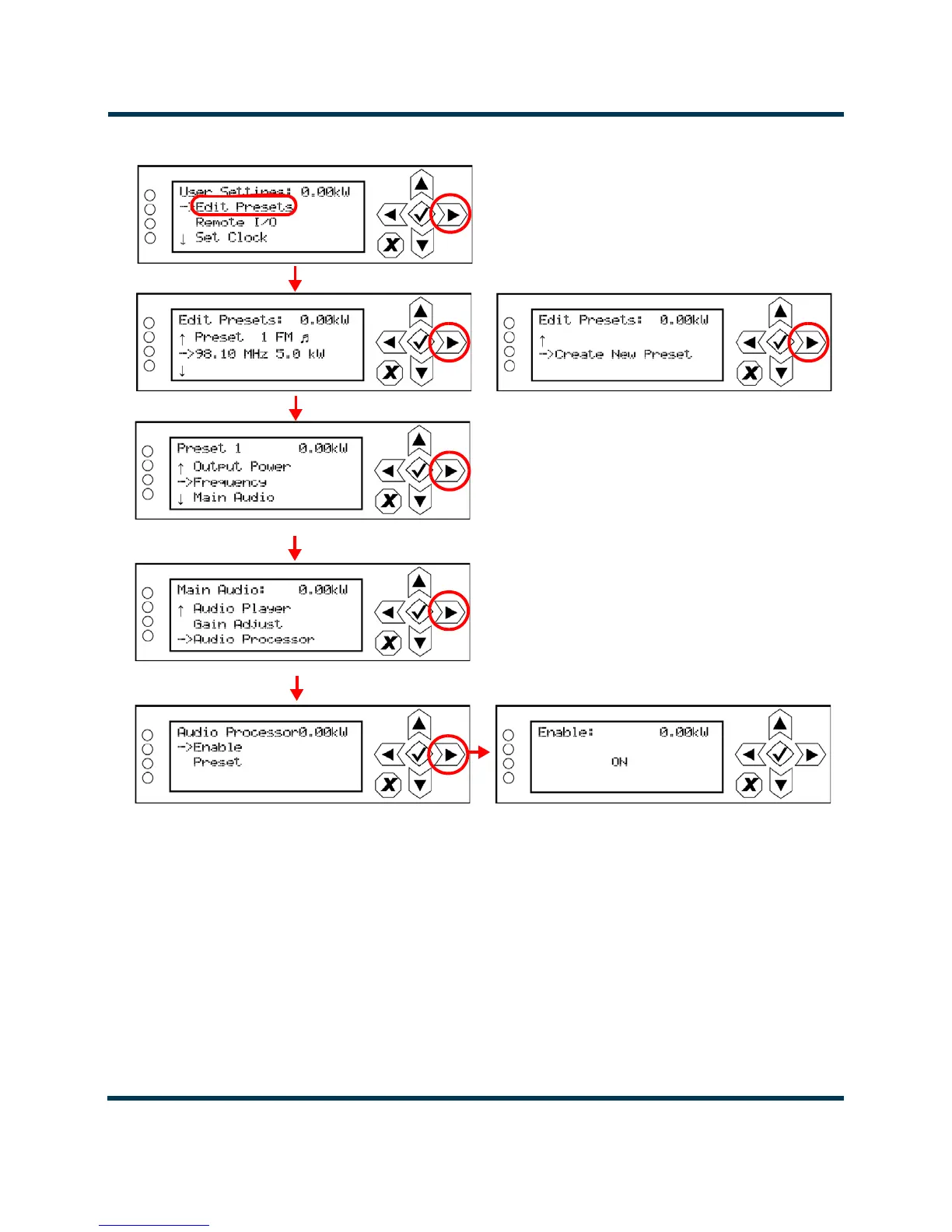
Figure 2.148: Enabling the Orban Audio Processor - Front Panel UI
Orban Enabling - Using the Remote AUI
1. With the transmitter turned on, connected to a remote monitoring PC or laptop and in
remote mode of operation, navigate to the AUI's
Main Menu -> Presets page.
2. For the applicable preset, click on the
Other Settings tab (see Figure 2.149 on page 2-167).
3. In the Orban Processor drop-down list, select Enabled to enable the audio processor
(selecting
Disabled disables the audio processor). Click Save to store the change.
A
B
OR
C
D
E



 To Next Page