VS1 Operations and Maintenance Manual Operating the transmitter
Issue 3.1 2013-10-01 Page 2-33
AUI Tool Menu Panels Procedures
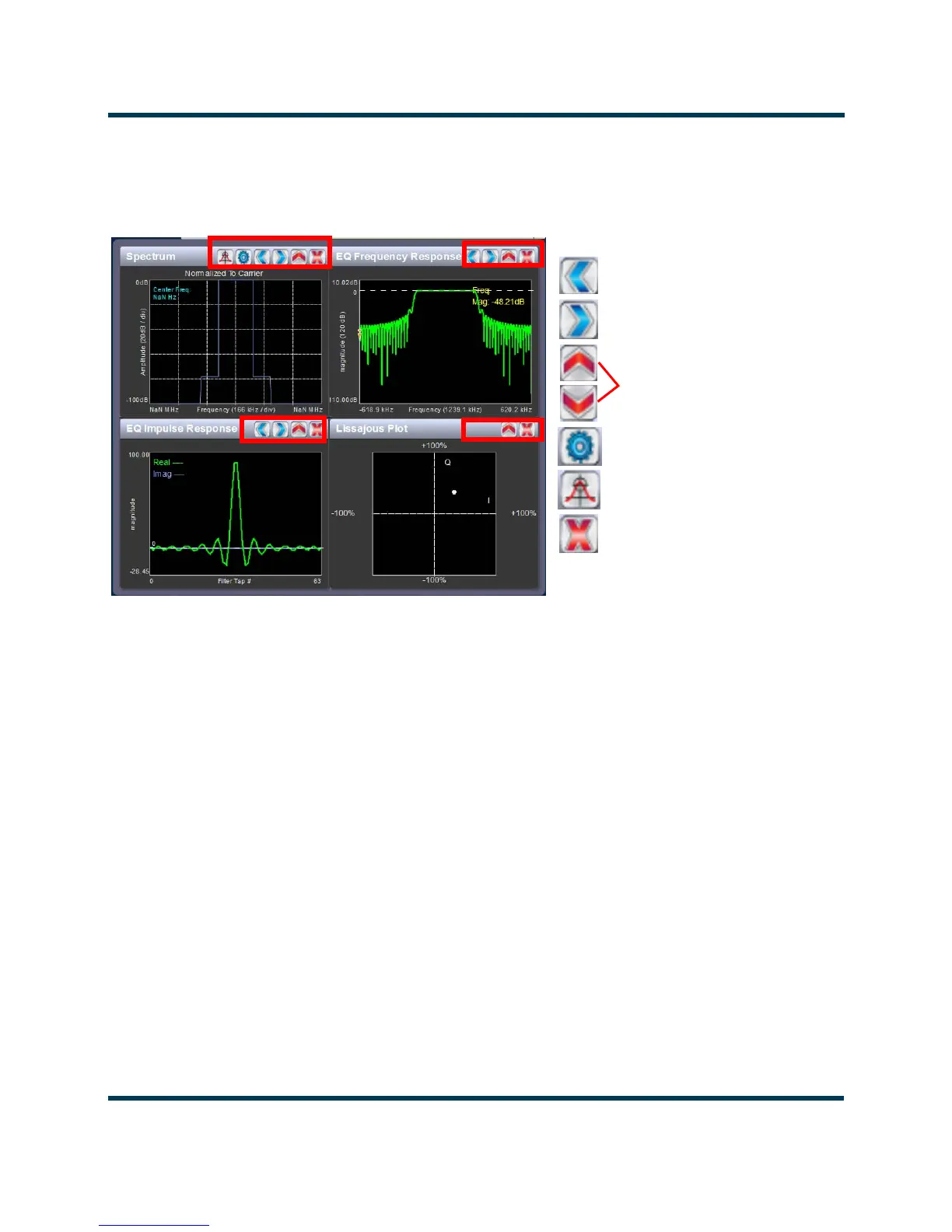
Each instrument panel has a menu bar that may be different from other panels (see
Figure 2.19: Tools Menu on Home Page
Procedure to view instrument readings on the panel:
• To display a cursor in the panel, touch the screen where you want the cursor (see Figure 2.20
on page 2-34). The cursor position is noted in the upper, right-hand corner of the panel (e.g.,
frequency and amplitude for the spectrum analyzer). Touch in other areas of the instrument
to provide a coarse adjustment of the cursor position.
• To make fine adjustments, use the backward and forward buttons (see Figure 2.19).
• To enlarge/reduce the instrument panel, use the maximize/minimize buttons. Some instru-
ment displays show more information when maximized (
e.g., EQ Impulse Response (see
Figure 2.19 on page 2-33).
• To display additional settings in the Spectrum Analyzer panel, touch the “cog” button (see
Figure 2.19). Displays include resolution bandwidth, span, averaging rate and the actual mea-
surement source (transmitter output, audio analyzer, etc.) that is being displayed. Touch the
“peak” button (see Figure 2.22) to place the cursor on the next successive peak in the spec-
trum.
Backward one step
Forward one step
Maximize / Minimize
Cog (more settings)
Exit
Peak (jumps cursor to the
Each panel has a tool bar at the top of the display
next peak)



 To Next Page