NComputing!L300!and!L350!User!Manual!!
Page!>S!of!?@!! ! 498943_v2!
L350!Device!Setup!!
!
!
!
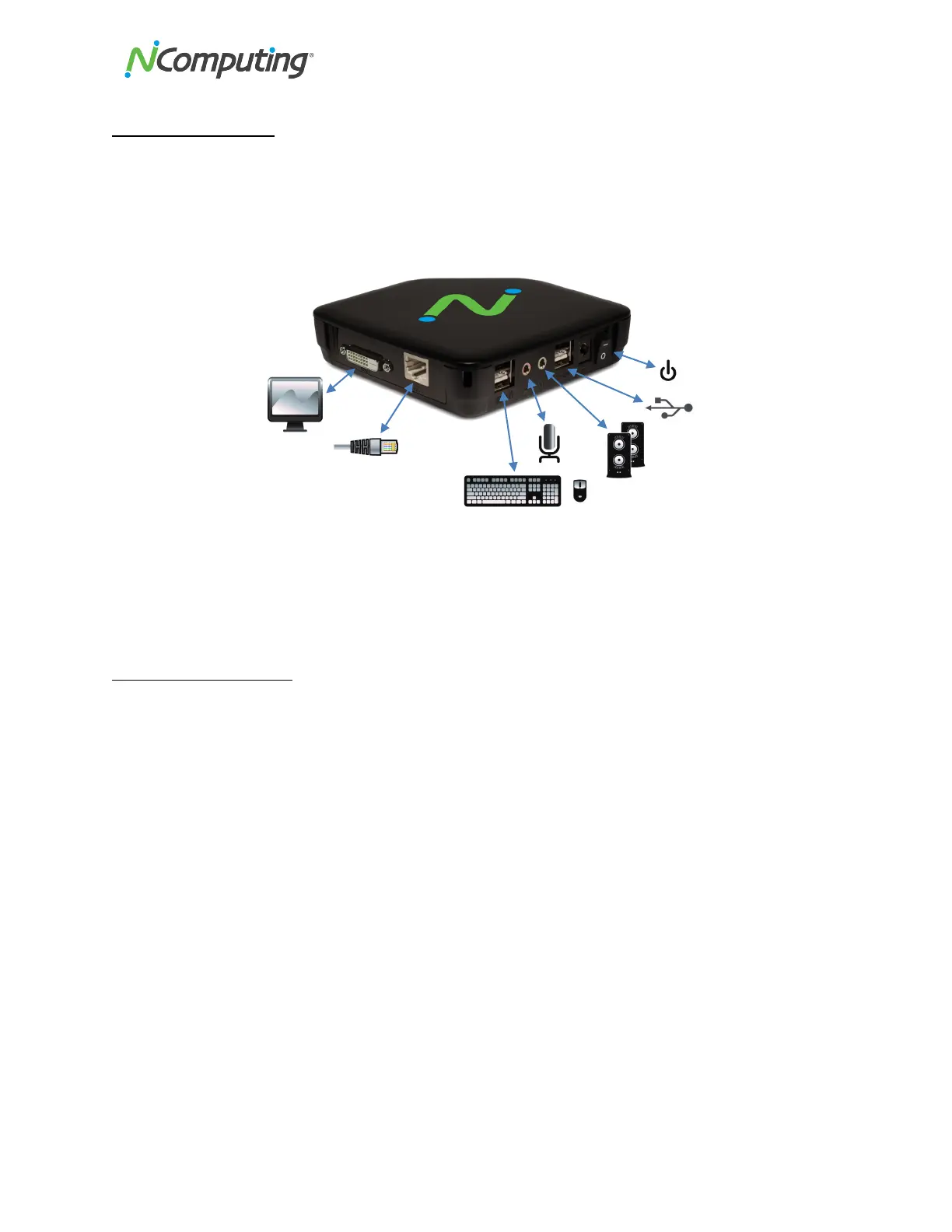
The!L350!must!be!connected!to!the!host!PC!via!an!Ethernet!switch,!router,!or!other!network!connection.!
Unlike!L300!there!are!no!dedicated!keyboard!or!mouse!ports!on!L350.!Keyboard!and!mouse!can!be!
connected!to!any!USB!2.0!ports.!
Network!connection!
The!L300!and!L350!devices!can!be!configured!to!use!DHCP-assigned!network!settings,!or!use!static!IP!
settings!specified!by!the!user.!To!use!DHCP-assigned!settings,!power!on!the!device,!then!go!into!the!
Device!Setup,!click!the!“Network”!tab,!and!select!the!bullet!labeled!“DHCP.”!
!
!
!
!


 To Next Page