CHAPTER 14
µ
µµ
µ
PD78F9801
User’s Manual U12978EJ3V0UD
195
14.1.3 On-board pin processing
When performing programming on the target system, provide a connector on the target system to connect the
dedicated flash programmer.
An on-board function that allows switching between normal operation mode and flash memory programming mode
may be required in some cases.
<VPP
pin>
In normal operation mode, input 0 V to the V
PP
pin. In flash memory programming mode, a write voltage of 10.0 V
(TYP.) is supplied to the V
PP
pin, so perform either of the following.
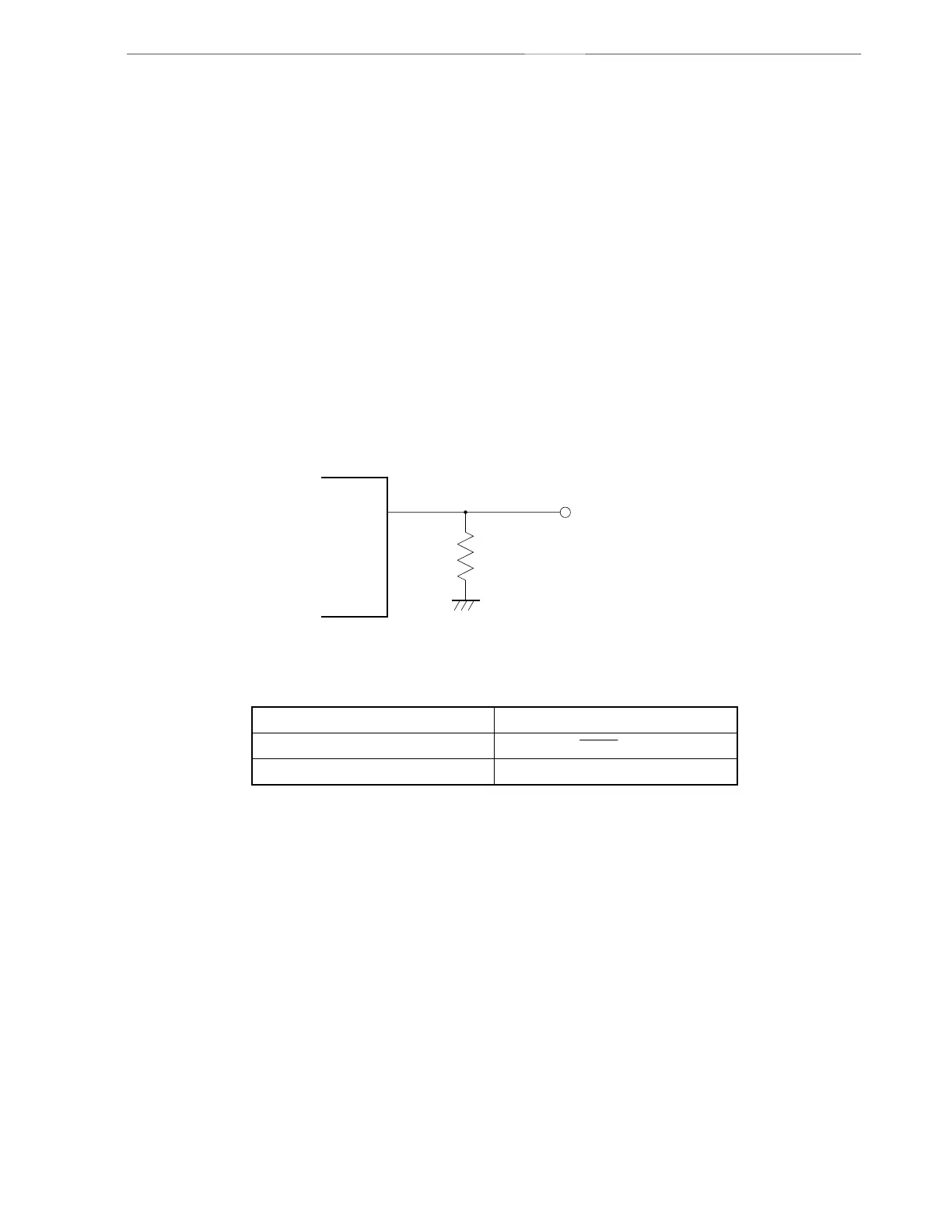
(1) Connect a pull-down resistor (RV
PP
= 10 kΩ) to the V
PP
pin.
(2) Use the jumper on the board to switch the V
PP
pin input to either the writer or directly to GND.
A V
PP
pin connection example is shown below.
Figure 14-4. V
PP Pin Connection Example
PD78F9801
V
PP
Connection pin of dedicated flash programmer
Pull-down resistor (RV
PP)
µ
<Serial interface pin>
The following shows the pins used by the serial interface.
Serial Interface Pins Used
3-wire serial I/O SI10, SO10, SCK10
Pseudo-3-wire P12, P11, P10
When connecting the dedicated flash programmer to a serial interface pin that is connected to another device on-
board, signal conflict or abnormal operation of the other device may occur. Care must therefore be taken with
such connections.



 To Next Page