E2600 Controller-Drive Tray Installation Guide 117
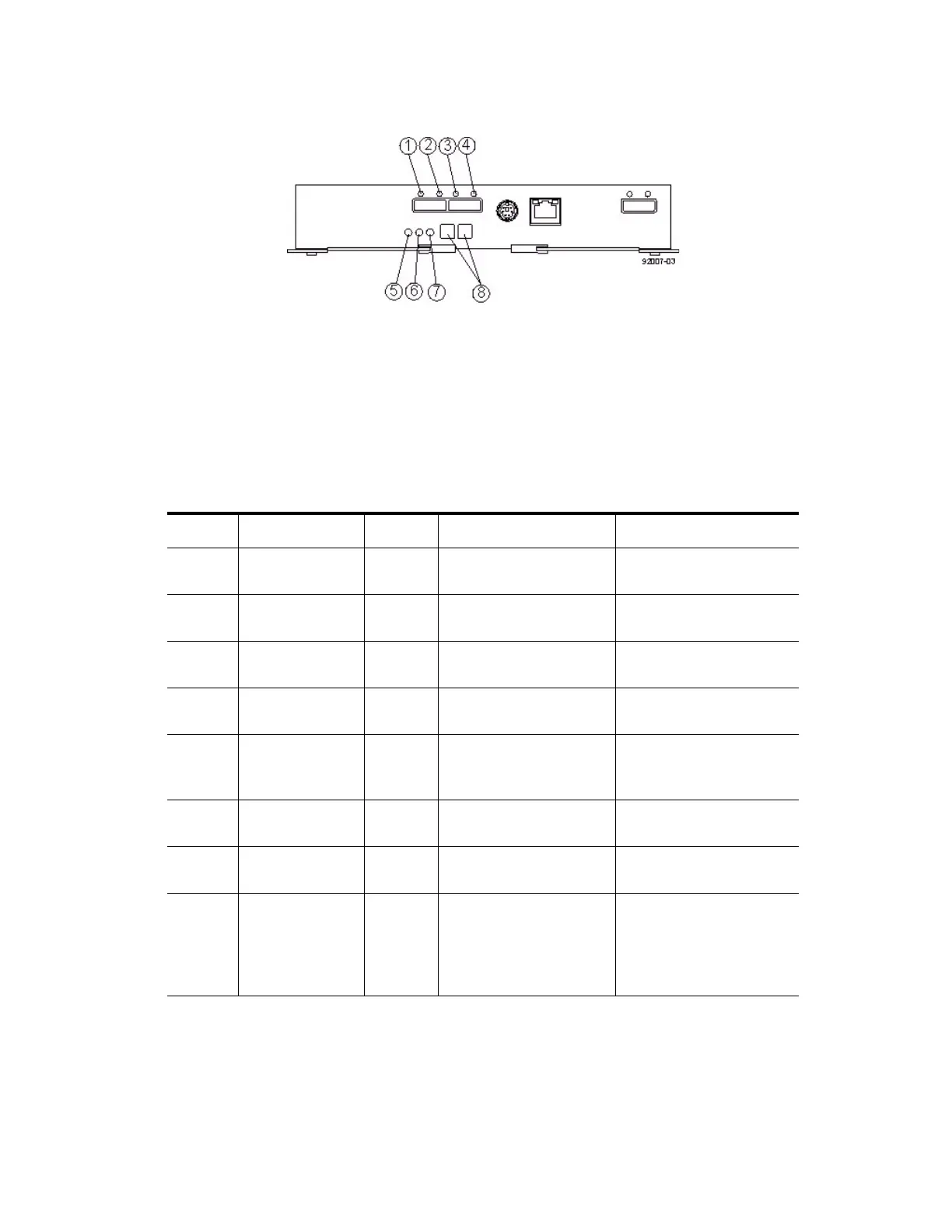
Figure 104 LEDs on the ESM Canister
1. ESM Link Fault LED (Port 1A Bypass)
2. ESM Link LED (Port 1A Data Rate)
3. ESM Link Fault LED (Port 1B Bypass)
4. ESM Link LED (Port 1B Data Rate)
5. ESM Service Action Allowed LED
6. ESM Service Action Required LED
7. ESM Power LED
8. Seven-Segment Tray ID
Table 32 LEDs on the ESM Canister
Location LED Color On Off
1 ESM Link Fault
(Port 1A Bypass)
Amber A link error has occurred. No link error has occurred.
2 ESM Link (Port
1A)
Green The link is up. A link error has occurred.
3 ESM Link (Port
1B Bypass)
Green The link is up. A link error has occurred.
4 ESM Link Fault
(Port 1B)
Amber A link error has occurred. No link error has occurred.
5 ESM Service
Action Allowed
Blue The ESM can be removed
safely from the drive tray.
The ESM cannot be
removed safely from the
drive tray.
6 ESM Service
Action Required
Amber A fault exists within the
ESM.
Normal status.
7 ESM Power Green Power to the ESM is
present.
Power is not present to the
ESM.
8Seven-Segment
Tray ID
Green For more information, see
“Things to Know –
Seven-Segment Display
for the Drive Trays” on
page 128.
Not applicable.



 To Next Page