E2600 Controller-Drive Tray Installation Guide 89
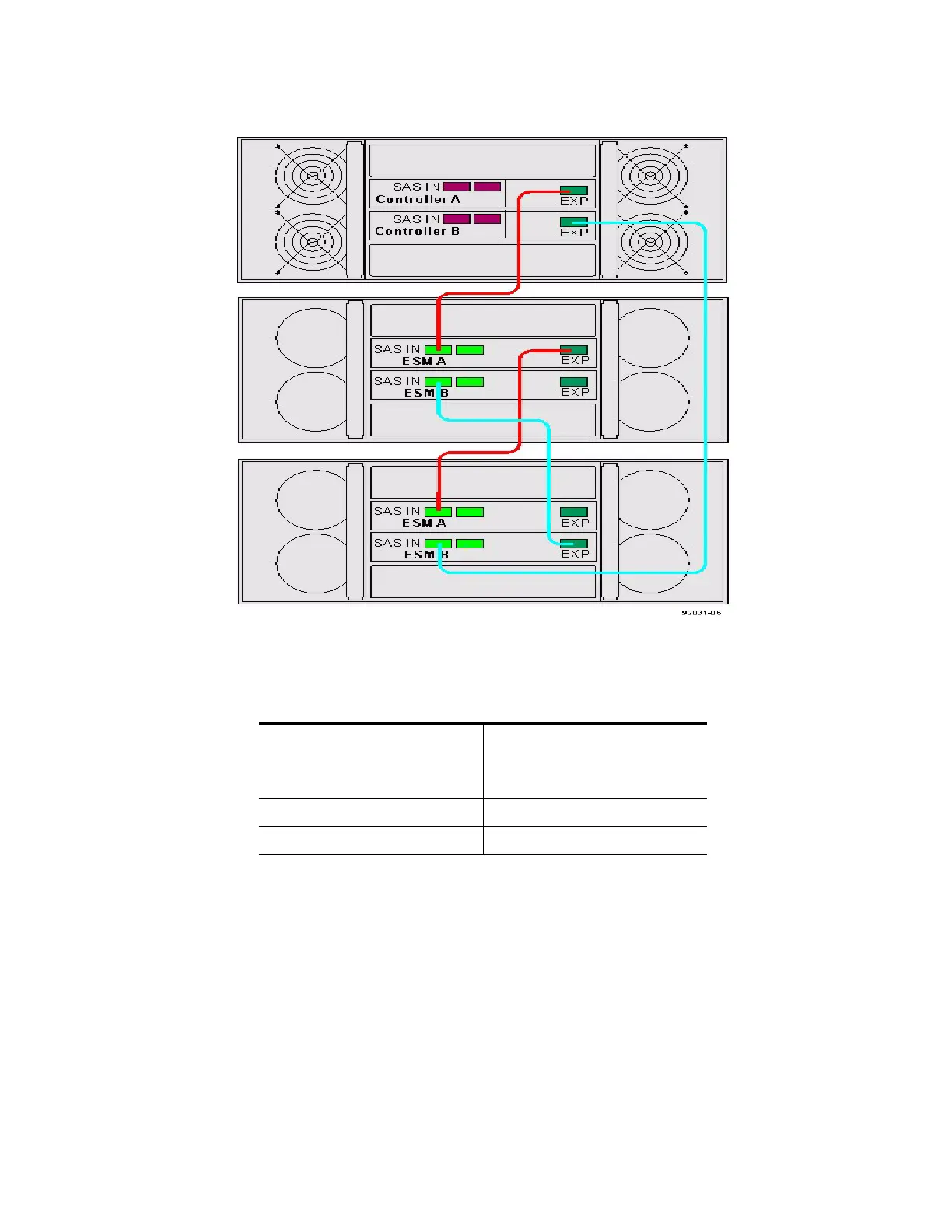
Figure 86 Controller-Drive Tray Between Two Drive Trays
Procedure – Connecting the DE6600 Drive Tray
1. Use the following table to determine the number of SAS cables that you need.
Table 14 Drive Tray Cables
2. If there is a black, plastic plug in the SAS expansion connector of the controller, remove it.
3. Insert one end of the cable into the SAS expansion connector on the controller in slot A in the controller-drive
tray.
4. Insert the other end of the cable into the connector with an up arrow on the ESM in slot A in the drive tray.
5. Are you adding more drive trays?
Number of Drive Trays that
You Plan to Connect to the
Controller-Drive Tray
Number of Cables Required
12
24



 To Next Page