E2600 Controller-Drive Tray Installation Guide 45
Step 5 - Connecting the E2600 Controller-Drive Tray to the Hosts
Key Terms
direct topology
A topology that does not use a switch.
switch topology
A topology that uses a switch.
topology
The logical layout of the components of a computer system or network and their interconnections. Topology deals
with questions of what components are directly connected to other components from the standpoint of being able to
communicate. It does not deal with questions of physical location of components or interconnecting cables. (The
Dictionary of Storage Networking Terminology)
Things to Know – Host Channels
ATTENTION Possible hardware damage – To prevent electrostatic discharge damage to the tray, use proper
antistatic protection when you handle tray components.
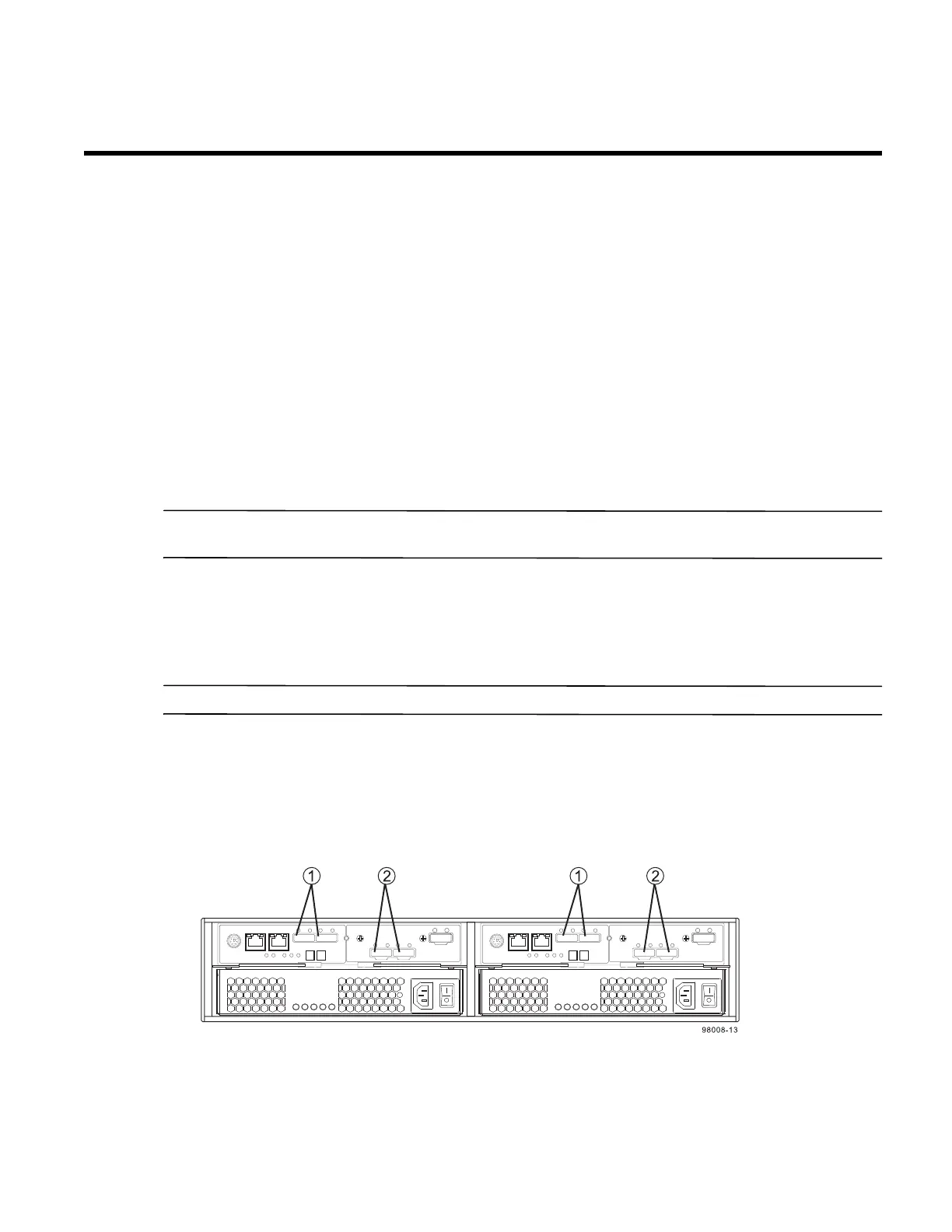
Each controller has from two to six host ports.
Two of the host ports are standard and support 6-Gb/s SAS data rates.
Two to four of the host ports are optional, and, if present, are located on a host interface card (HIC). The
following types of HICs are supported:
NOTE In configurations where a HIC does not exist, the space is covered with a blank faceplate.
— Two SAS connectors at 6-Gb/s
— Four iSCSI connectors at 1-Gb/s
— Two iSCSI connectors at 10-Gb/s
— Four FC connectors at 8-Gb/s
Figure 39 Host Channels on the E2612 and E2624 Controllers – Rear
View
1. Standard Host Connectors
2. Host Interface Card (HIC) Connectors (SAS in this Example)



 To Next Page