BTS User Manual
Neware Technology Ltd.
http://www.newarebattery.com
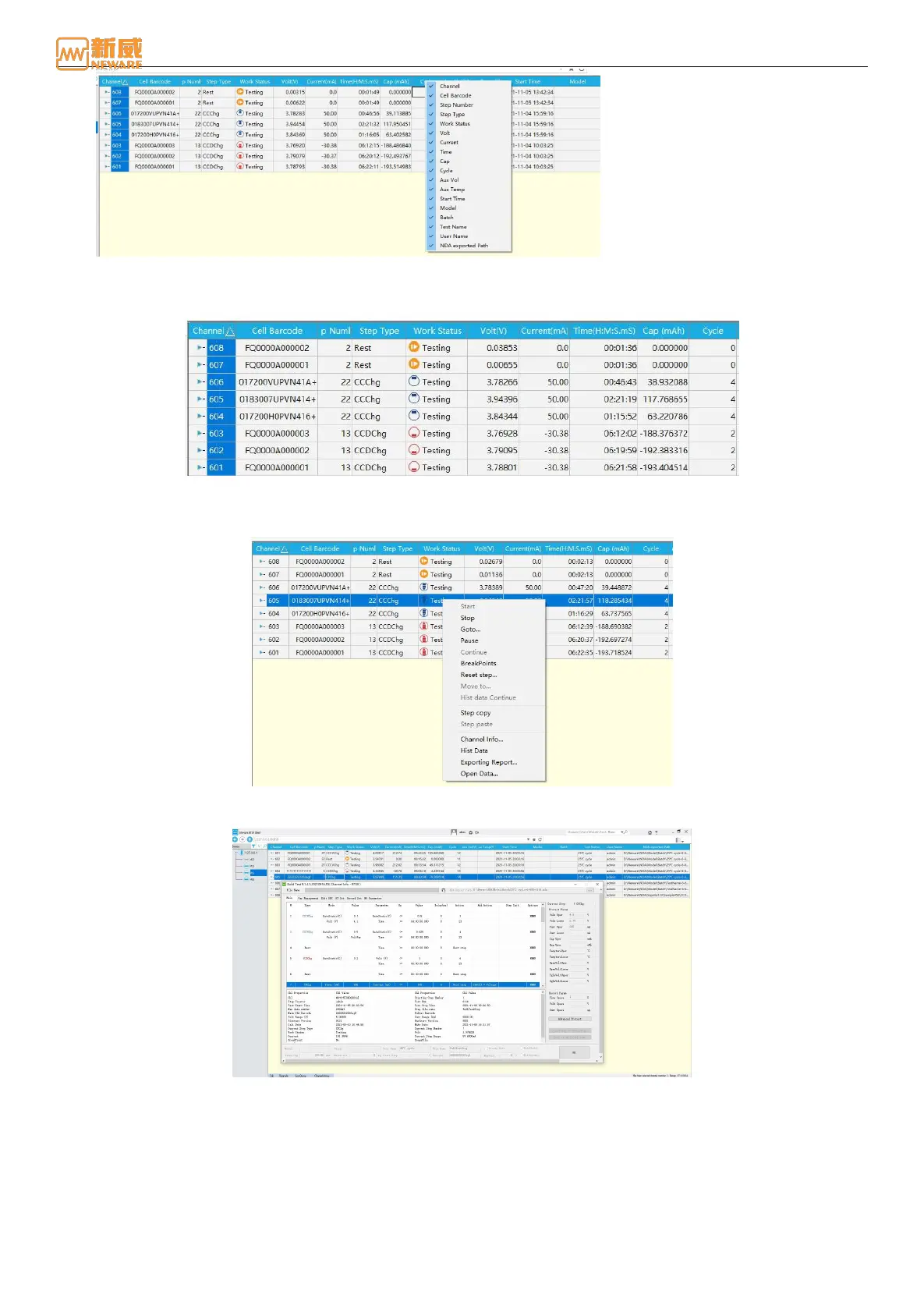
Figure 4-15 List customization
2. Field sorting: Click on a data field, and the data can be sorted in ascending or descending order according to the field,
as shown in the figure below:
Figure 4-16 List customization
3. List operation: Right-click list data to operate directly on the channel. You can also view channel information and test
data, as shown in the following figure:
Figure 4-17 List operation
Double-click the list data to view the channel information for the current channel, as shown below:
Figure 4-18 Channel information
4.4. Operation of Channel Control
Selecting the Channels
To selecting the channels:
1. Click the channel to select the battery. If the yellow border is displayed, the channel is selected, as shown in Figure
4-19.



 To Next Page