BTS User Manual
Neware Technology Ltd.
http://www.newarebattery.com
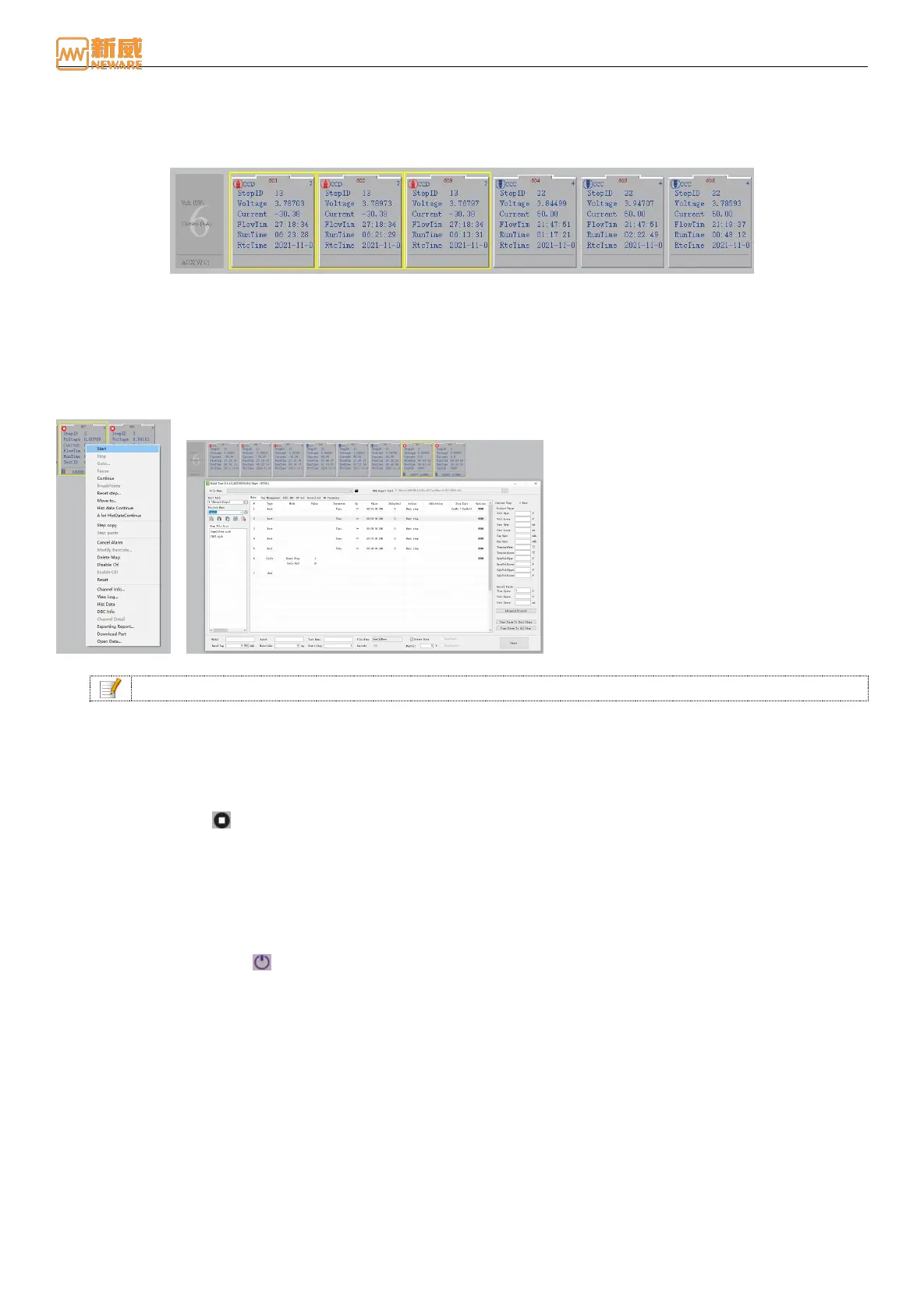
2. To select multiple discontinuous channels, hold down the Ctrl key and click the
channel to be selected.
3. If multiple channels are selected, hold down the left mouse button and select the target channel.
4. Pressing Ctrl + A selects all channels.
Figure 4-19 Select the channels
Start
Practice the following steps to start a channel:
1. Select channel →Right click→ "Start".
2. On the right-click menu (as shown in Figure 4-20), you can set step parameters, record conditions, protection
conditions, and professional protection parameters. When the condition is reached, the channel will performs the
corresponding operation.
Figure 4-20 Start interface Figure 4-21 Step editor
Notice: Please refer to lithium battery test step setting.
Stop
To stop the tests of one or more channels, perform the stop operation as follows:
Select one or several channels, → right-click → "Stop". At this point, the corresponding channel stops performing the step
and enters the stop state .
Pause
When you need to suspend one or more channel tests, you can perform the "pause" operation as follows:
Select one or more channels → right-click → "Pause". At this point, the corresponding channel stops executing the step
and enters the suspended state .
Conditional Breakpoint
If a pause or stop channel operation is performed while the step is being operating, the voltage value may suddenly change
significantly. Stopping the channel test with a "conditional breakpoint" is a good way to solve this problem and get the
required data to the user.
In the test process, when the user sets a conditional breakpoint, the channel suspends the test process after the
corresponding cycle time of the set step is completed to ensure smooth and continuous data. Right-click the channel and
select "Conditional breakpoint" to set it, as shown below:



 To Next Page