BTS User Manual
Neware Technology Ltd.
http://www.newarebattery.com
Charge the battery at a constant power set by the user. Voltage, current, time,
capacity, and energy can be set as charging cut-off conditions.
7. CP discharge
Charge the battery at a constant power set by the user. Voltage, current, time, capacity, and energy can be set as
charging cut-off conditions.
8. CR charge
Charge the battery with a constant internal resistance set by the user. Voltage, current, time, capacity, energy, and power
can be set as charging cut-off conditions.
9. CR discharge
Discharge the battery at a constant internal resistance set by the user. Voltage, current, time, capacity, energy, and
power can be set as charging cut-off conditions.
10. Rest
During the rest time, the channel is in a stopped state; when the rest is over, the step performs the jump operation.
During the test process, using this function can make the performance of the battery stable, which is conducive to
improving the accuracy of the battery test.
11. Pause
When the pause operation is performed, the channel is in the pause state, which is convenient for users to measure the
thickness of the battery and other operations. A manual connection test is required.
12. Cycle
It supports four sets of loop nesting. The cycle step can make the step run repeatedly between the set two steps. The
user can customize the start step and cycle test to meet their specific requirements.
13. Pulse mode:
Pulse mode(BTS-9000 as an example): The high-speed series supports pulse mode, which can be used for battery
simulation. The minimum pulse width of a single pulse is 400 s, and a maximum of 16 pulse segments can be set.
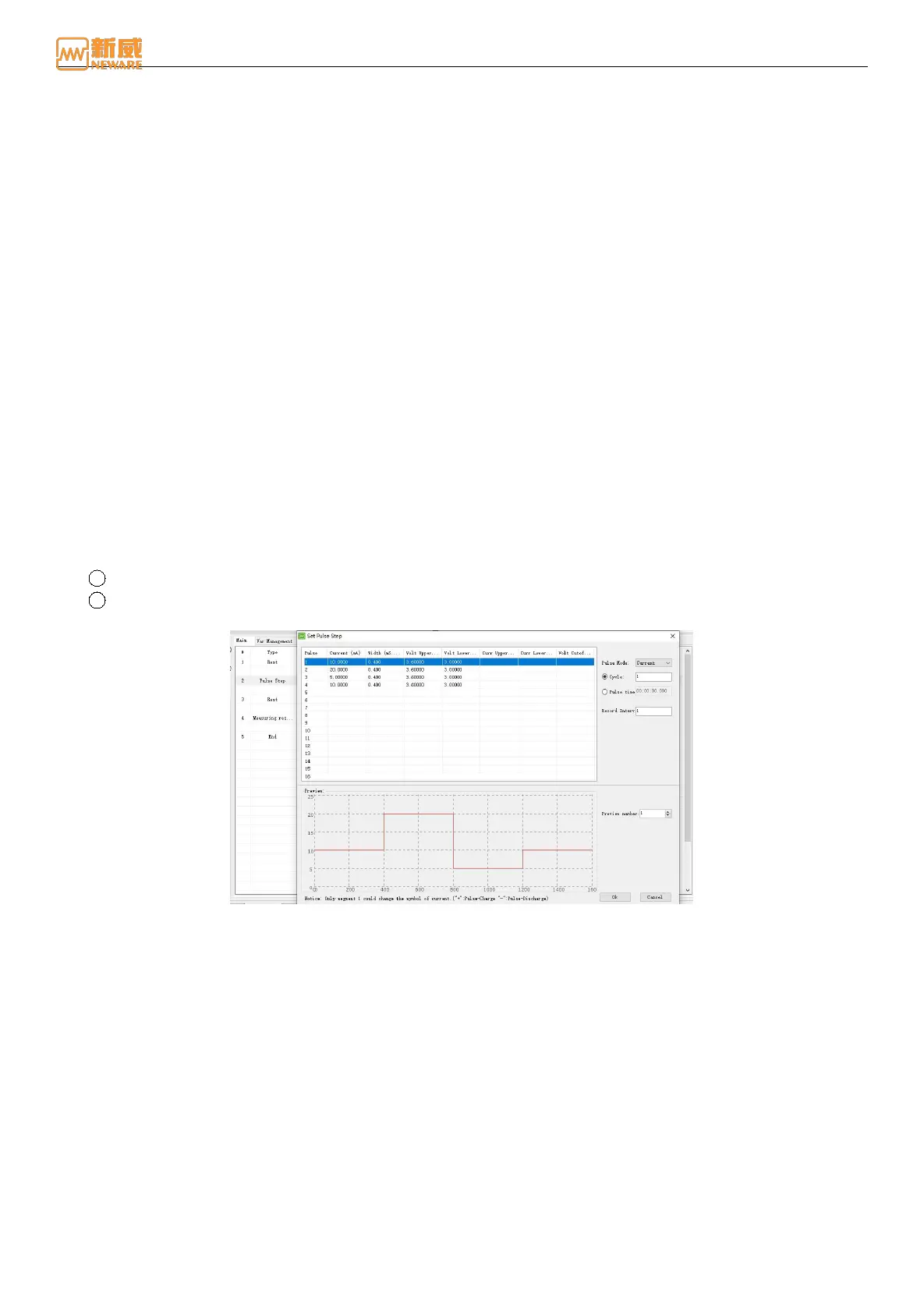
Support the current pulse mode, editing steps as follows:
1 Select Pulse step in the step editor.
2 Users can set the pulse step parameters according to their needs by clicking on "Step parameter" or "Value" to
pop up the interface of "Pulse Step Setting" as shown in the following figure.
Figure 4-34 Set pulse step window
Number of periods: Number of current pulses, charges and discharges.
Pulse time: Indicates the time when the pulse step is executed.
Periodic recording interval: Data is recorded once every interval, as shown in the figure above. In 100 periods,
100 pieces of data can be recorded.
Preview number: You can set the number of pulse segments to preview.
14. Internal resistance test
Users can set DCR to "Measure Internal Resistance" as required and directly measure the corresponding internal
resistance value, as shown in the figure below. The user can set the pulse time and current value according to their
needs. The time value of a pulse should not be less than 10 ms, and the current value of pulse 2 should be greater than
that of pulse 1. Generally, pulse 1 can be set to 10 S and current 0.1 C, while pulse 2 can be set to time 1 S and current
1 C.



 To Next Page