BTS User Manual
Neware Technology Ltd.
http://www.newarebattery.com
Figure 4-39 Exact query condition
Data Operation
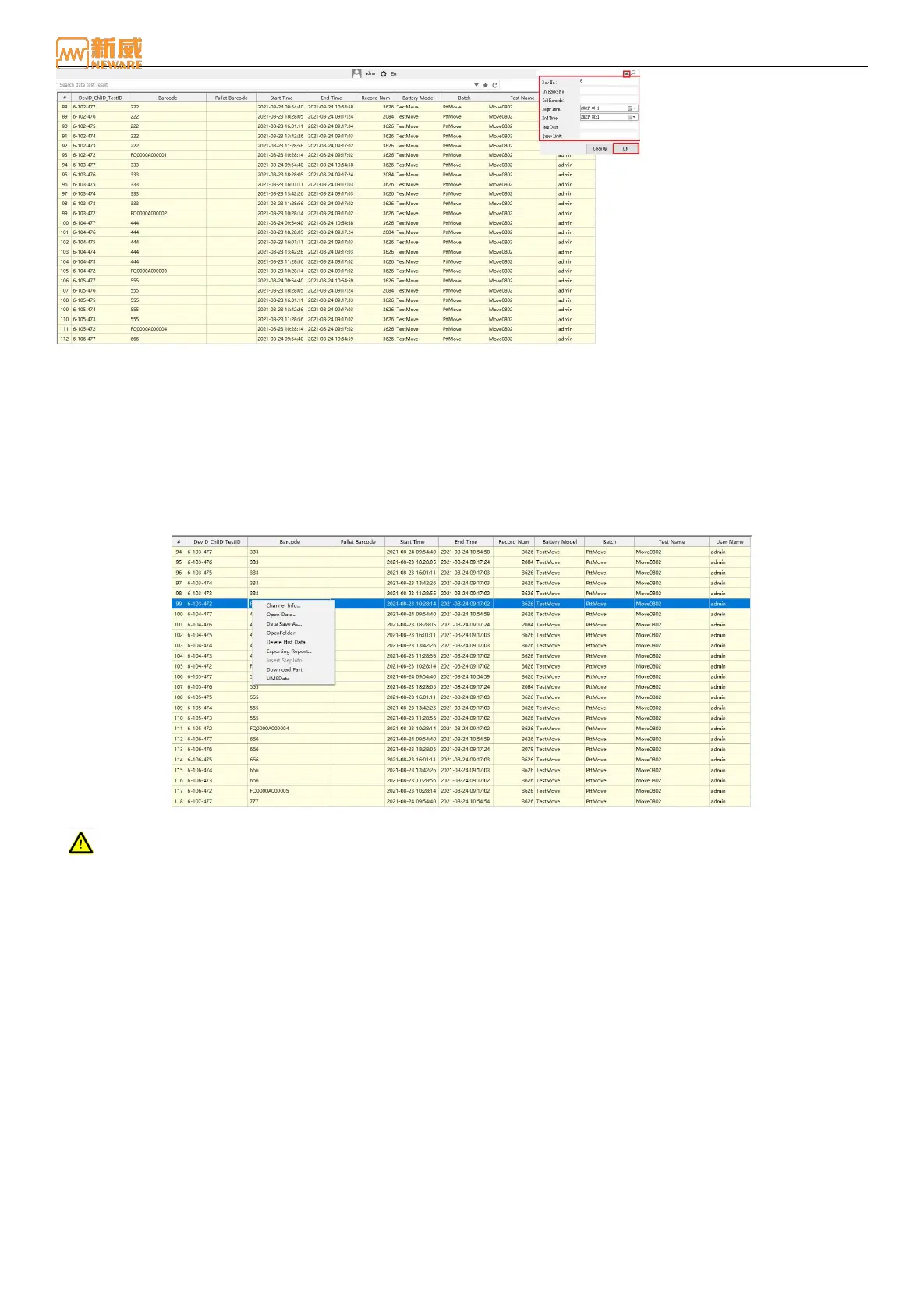
Users can right-click to open the channel information, query data, open data, save data, open folders, delete historical data,
and so on. As shown below:
Channel information: Open the Channel information corresponding to the relevant historical data.
Open data: Open the relevant NDA test data corresponding to historical data.
Data save as: Save the current historical data to the specified path.
Open file: Open the folder where test data is stored in NDA file format so that users can view and manage other test data.
Delete historical data: Delete the historical data of the current channel.
Figure 4-40 Data operation
Attention: After deleting historical data, the data cannot be recovered!
4.7. Manual Report Export
Configure report options based on your preferences and requirements to export reports manually. You can export the report
manually in the following three ways:
Select channel, right-click the report export, the selected channel of the current test data for the report export.
Select a device in the device bar and right-click to export the report. Filter the channel, barcode number, test number,
battery model, battery batch number, and user name of the device and export the report.
On the historical data page, select a historical data set and export the report.



 To Next Page