BTS User Manual
Neware Technology Ltd.
http://www.newarebattery.com
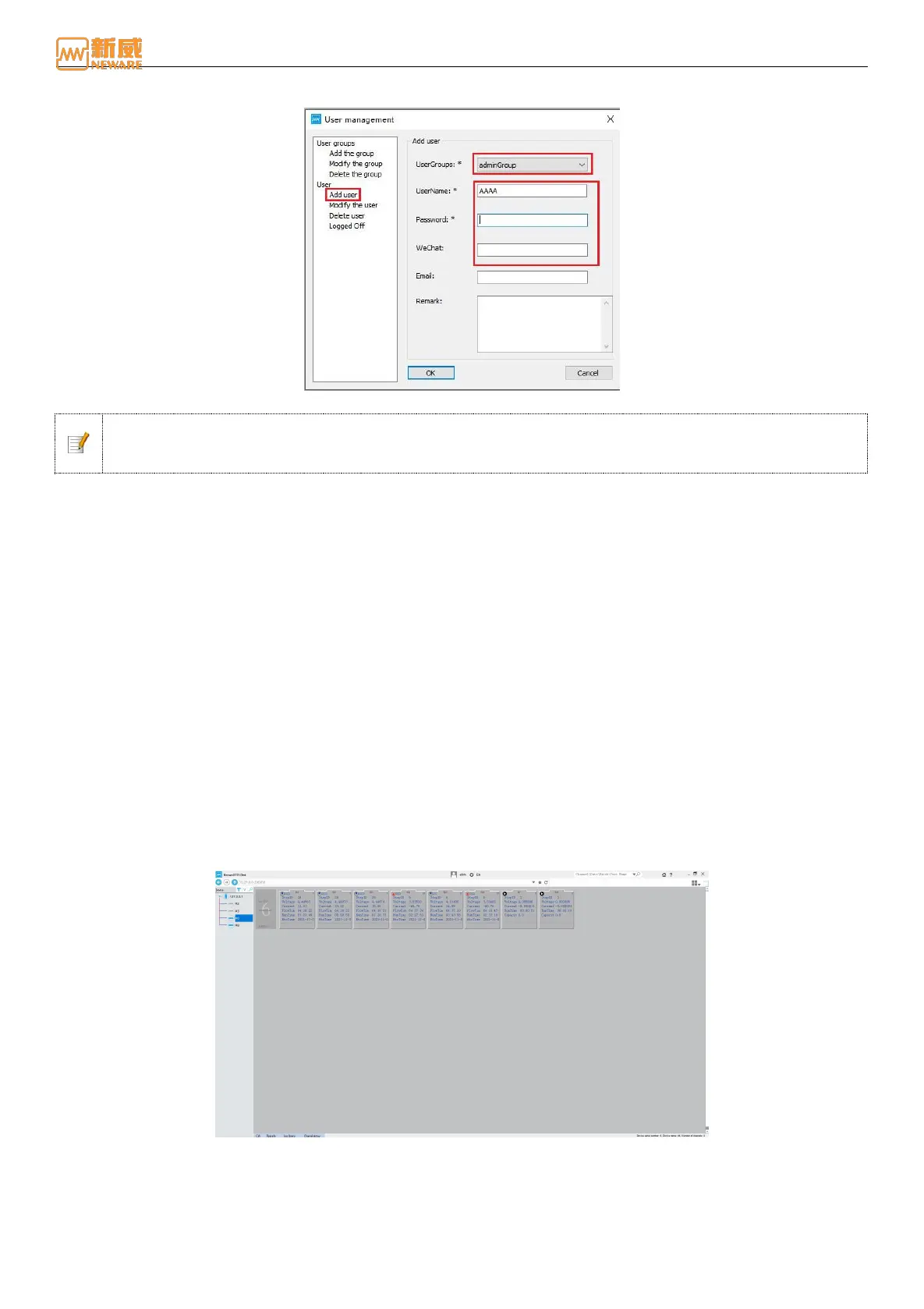
the user name, email address, and password, and click "Submit" to create a new
user, as shown in the following figure:
Figure 4-53 Add User
Notice: On the Users management interface, you can define different user groups and their operation
rights as required. Only accounts with management rights can manage users. Otherwise, the color will be
gray.
User Log out
When a user does not use the client software or needs to switch users, the user logout function can be used. Once logged
out, you need to log in again to continue operating the system.
The operations are as follows: On the 4-51 screen, click "User Logout." In the prompt dialog box, click "User Logout."
4.10. Reset Mapping
You can set the channel number of a device to a specified channel name as required, facilitating management and operation.
Channel display is divided into real-device and virtual-device channel display interfaces. The mapping mode is divided into
primary channel mapping and Aux binding.
Switch of Interface
The channel display is divided into two different display interfaces for the real device and the virtual device. Users can
switch between the real (R) and virtual (V) interfaces as required.
When the user is in the interface of the real device, click the "V" button to enter the main interface of the virtual device and
operate the virtual channel, as shown below:
Figure 4-54 Realistic equipment display interface
When the user is in the virtual device interface, click the "R" button to enter the main interface of the real device and
operate the real channel, as shown in the following figure:



 To Next Page