BTS User Manual
Neware Technology Ltd.
http://www.newarebattery.com
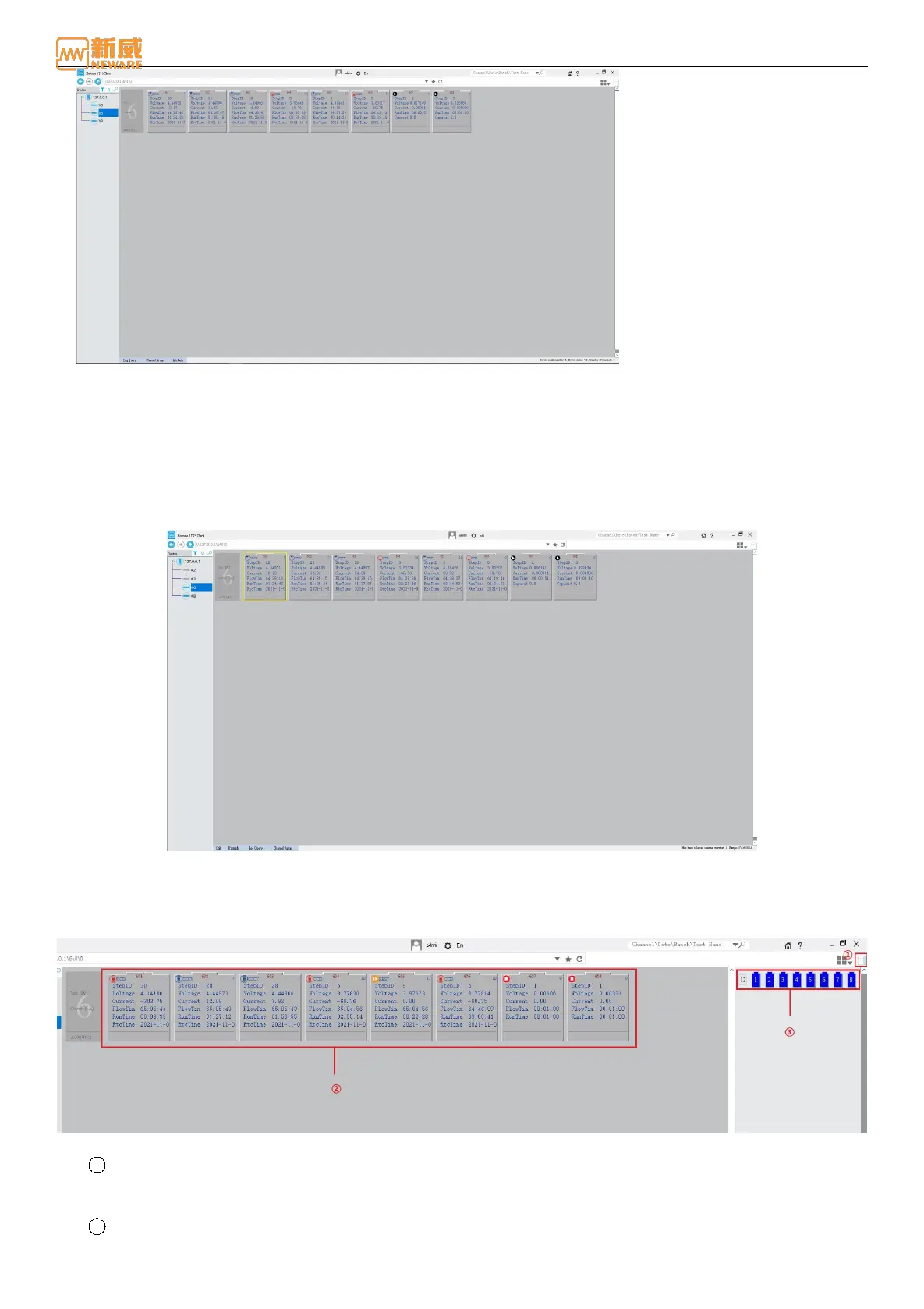
Figure 4-55 Virtual device display
Channel Display
The BTS9 software supports the display of the main channel and Aux. You can also bind, delete, and locate Aux on the
client interface as required.
1. Display of main channels
By default, the main channel is displayed based on the physical channel number (device number + unit number + channel
number), as shown in the following figure. In the figure, the device number is 1, the unit number is 1/2/3/4/5/6, and the
channel number is 1-8.
Figure 4-56 Main channels display
2. Auxiliary channel display
The auxiliary channel show/hide button is located in the right-most "sidebar" (①) in the toolbar, as shown in Figure
4-57. ② Main channel area, ③ auxiliary channel areas.
Figure 4-57 Main channels display
1 Auxiliary channel mapping
In the AUX display area, select one/more unbound AUX (blue battery icon) and drag them to the main channel. If
the icon is displayed on the main channel, the AUX is mapped successfully, as shown in Figure 4-58:
2 Position Mapping



 To Next Page