BTS User Manual
Neware Technology Ltd.
http://www.newarebattery.com
3. The backup system runs as a server. If the backup service is abnormal, it
automatically restarts within two minutes.
4. The backup system can follow the server to install the backup system to the server directory. During uninstallation, the
backup system can follow the server to uninstall the backup system. The backup system can also be installed
independently. If the backup system is installed independently, specify the data source.
5. A BTS9 system server can back up only one backup system at a time.
Configuration
Users can set the backup mode and backup directory as required. Backup modes include Interval, Fixed Time, and
Automatic.
1. Interval: Set the backup interval. The system backs up data based on the specified interval.
2. Fixed time: Set a fixed point in time for backup. When the system time reaches the specified point in time, the system
will automatically backs up the data.
3. Automatic: Backup is automatically performed when the server is idle.
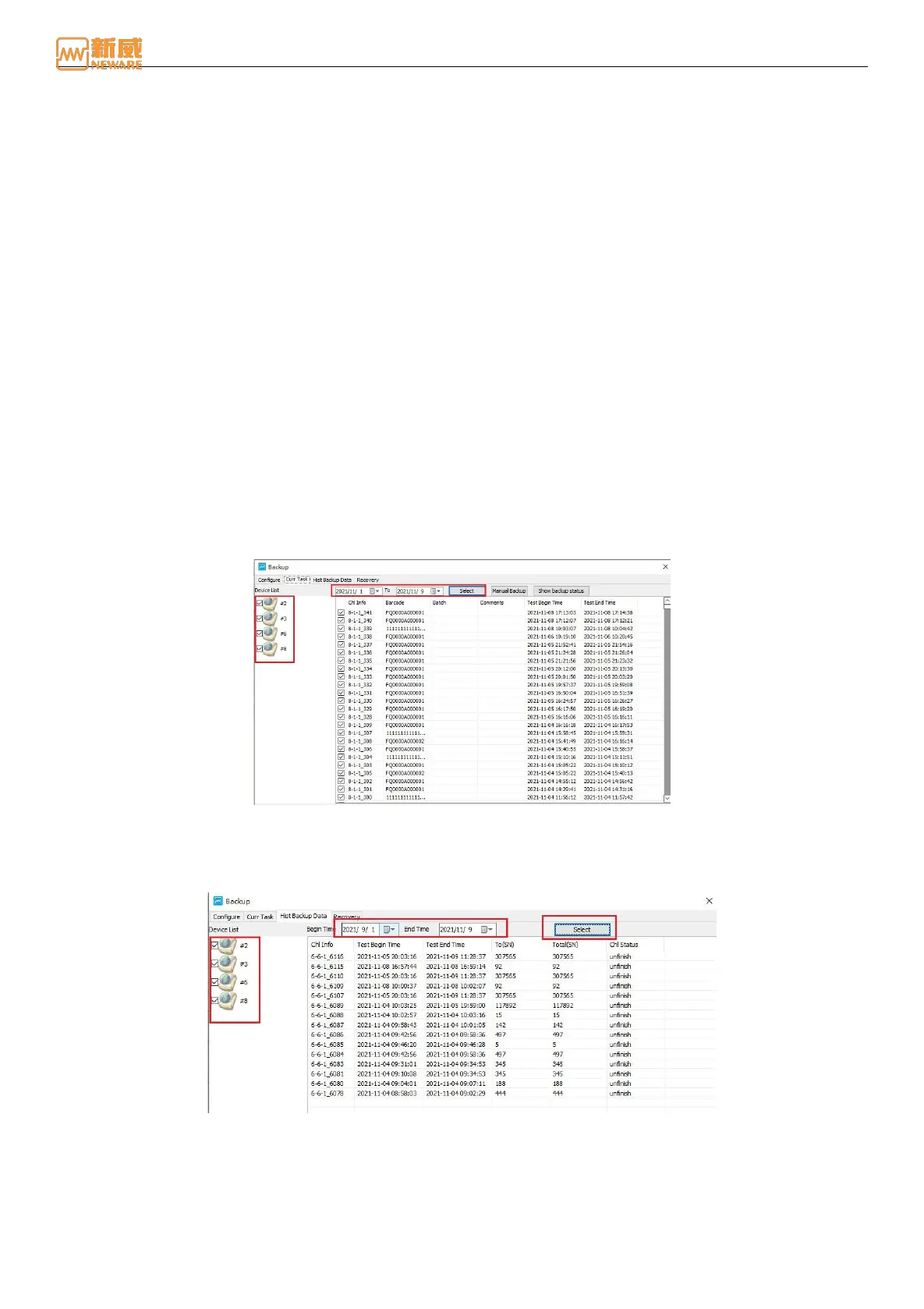
Current Backup Tasks
Query the current backup status of channel test data. The backup system can manually back up channel test data based on
user requirements, as shown in the following figure.
Select the device that you want to back up and click Query to view the backup status of all channel test data on the device.
You can also view the current channel backup status by clicking "Show Backup Status." Double-click the device/cell
number to back up the specified channel.
Backup data backed up by the system is stored in a lower-level folder in the installation directory. If some test data files
become invalid after backup, you can manually back up data again.
Figure 4-64 Current backup task
Historical Backup Task
You can check historical backup data, including channel information, total data, and channel status, as shown in the
following figure:
Figure 4-65 Historical backup data
Data Recovery
Data restoration is supported. Based on NDA files, records saved at the end of channels are obtained for data restoration.
As shown in Figure 4-66.
1. During data restoration, you can load unfinished tests in the backup directory (only one unfinished test is allowed for a
channel) and select the channel to restore data. You can select the last test data backup or all test data backups.



 To Next Page