Page 48/106 GEO S12 HARDWARE SETUP PROCEDURE
8.4.2 Single GEO S12 on speaker stand or on LS18 horizontally
Required items
1 x “U” Bracket for single horizontal GEO S12 (GPT-SSBRK);
1 x Speaker stand diameter 35mm (K&M 213 or equivalent);
Or NEXO PS pole stand (VXT-PLSTD) for mounting on top of LS18
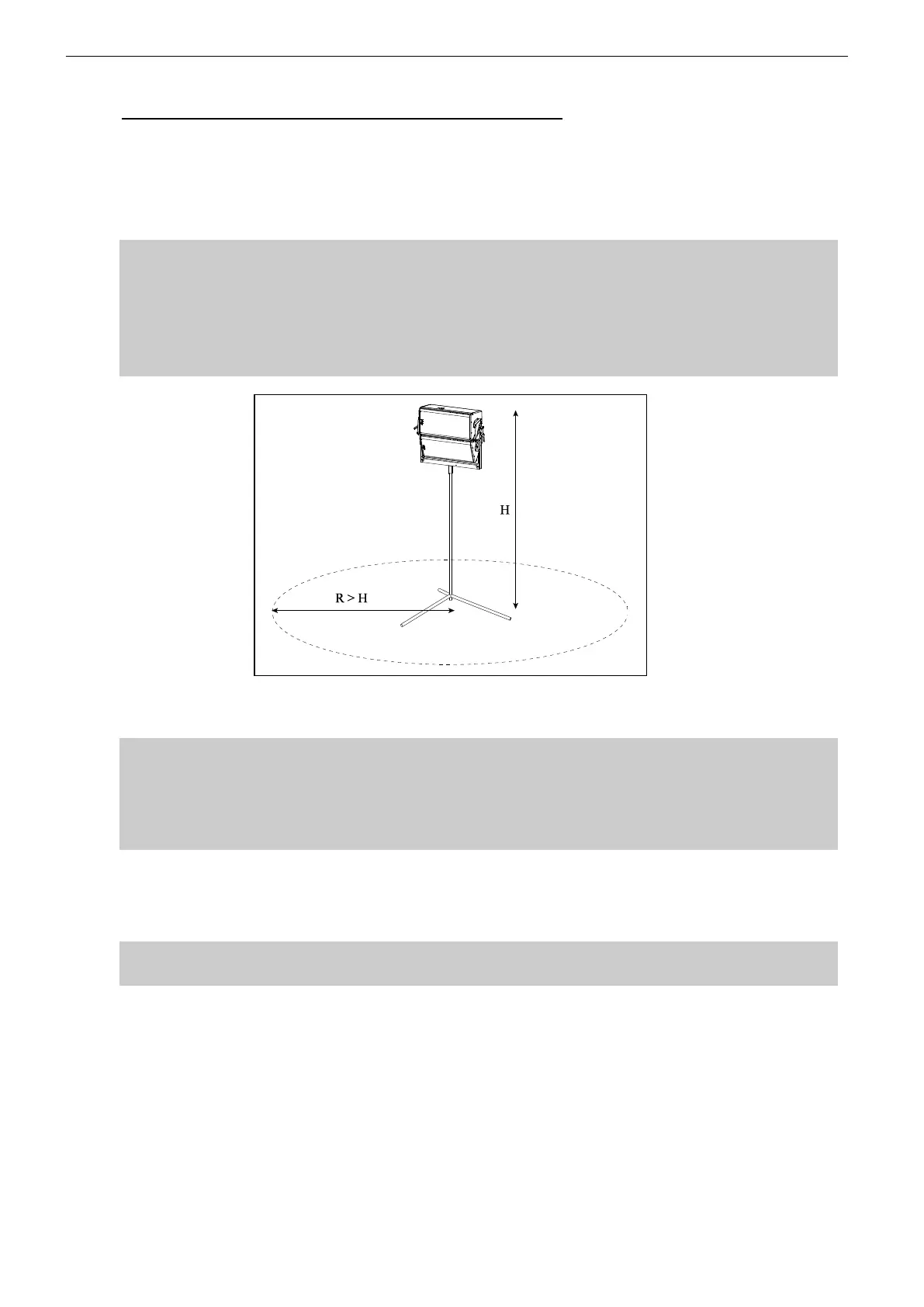
IMPORTANT (SPEAKER STAND)
- Speaker stand must be rated for assembly weight (40kg rated load min);
- Speaker stand must always be installed on a horizontal surface;
- Stand height and footprint must be defined to prevent assembly from collapsing;
- Ensure that public is not allowed within a safety area which radius is equal or higher
than assembly height.
IMPORTANT (LS18 POLE STAND)
- NEXO PLSTD pole stand only should be used for mounting on top of NEXO LS18
- LS18 must always be installed on a horizontal surface;
- Ensure that public is not allowed within a safety area which radius is equal or higher
than assembly height.
Procedure
Slide GPT-SSBRK side plates into GEO S12 connecting plate oblong holes;
Lock safety pins into GEO S12 connecting plate;
IMPORTANT
Ensure that safety pins are properly locked into GEO S12 connecting panels.
Position “U” bracket over these side plates; align centre holes;
Insert adjustment handles, adjust vertical angle and tight the handles to prevent GEO S12
from rotating around “U” bracket;
Lift assembly on speaker stand or on LS18 with PLSTD pole stand.



 To Next Page