- A ・ -
VBA18001-R.3719.A
logo�Q0440�forGraphic
070518�Gdesign�ito
<Start-up of Program>
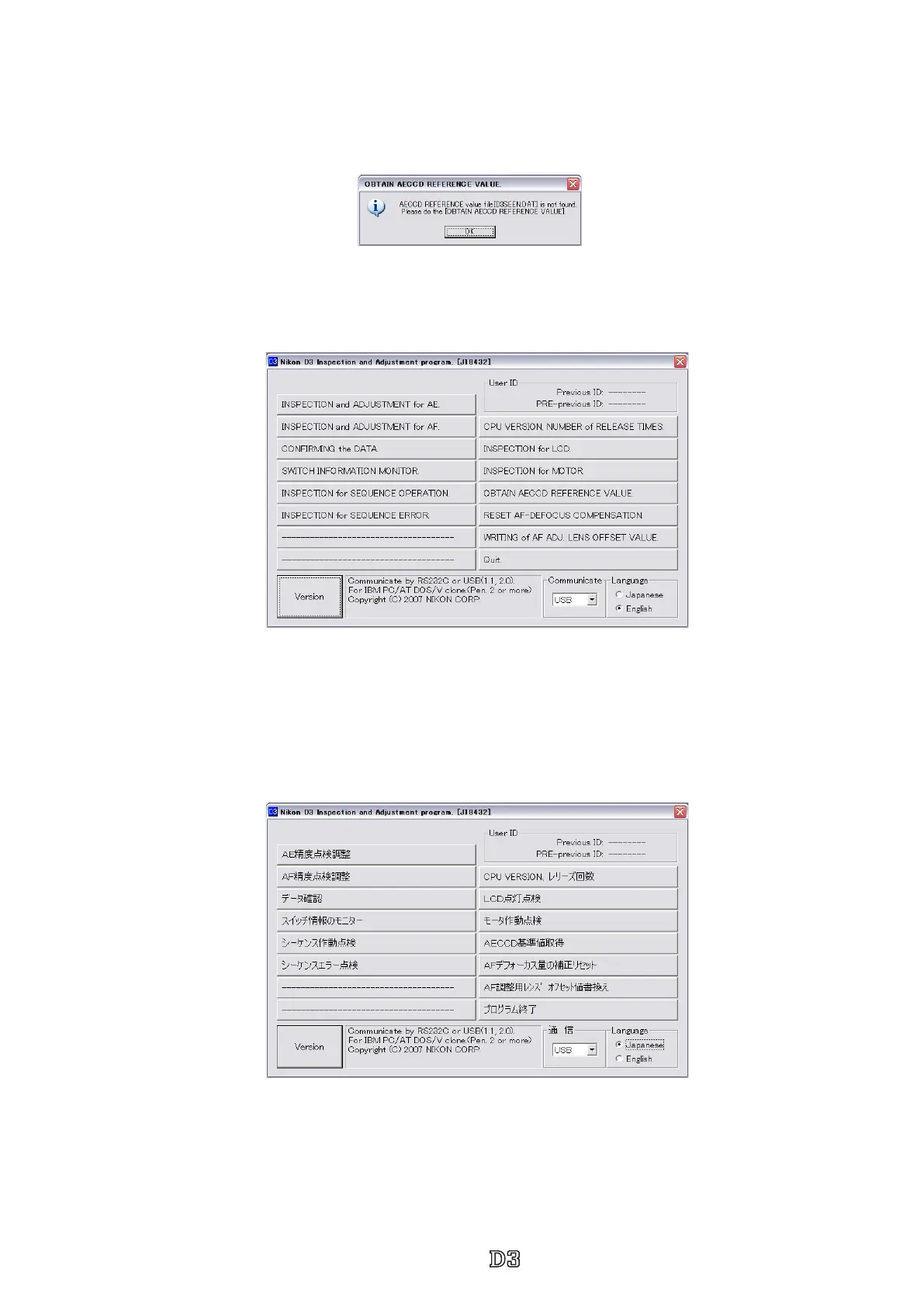
1.Start "D3.EXE". The following screen will appear, so click "OK".
3.To display in Japanese, select the radio button "JAPANESE" in "LANGUAGE" in the lower right-hand
corner of the screen.
However, this is not properly viewed in the English OS.
2.Clicking "OK" starts the program.
4.To nish the program, press the "Close (×)" button in the right-hand corner of the screen or "QUIT.".



 To Next Page
 Loading...







