Chapter 4 Setting Up the Microscope
4.2 Setup Procedure
1-92
4.2.5 Attaching the Back Port Unit
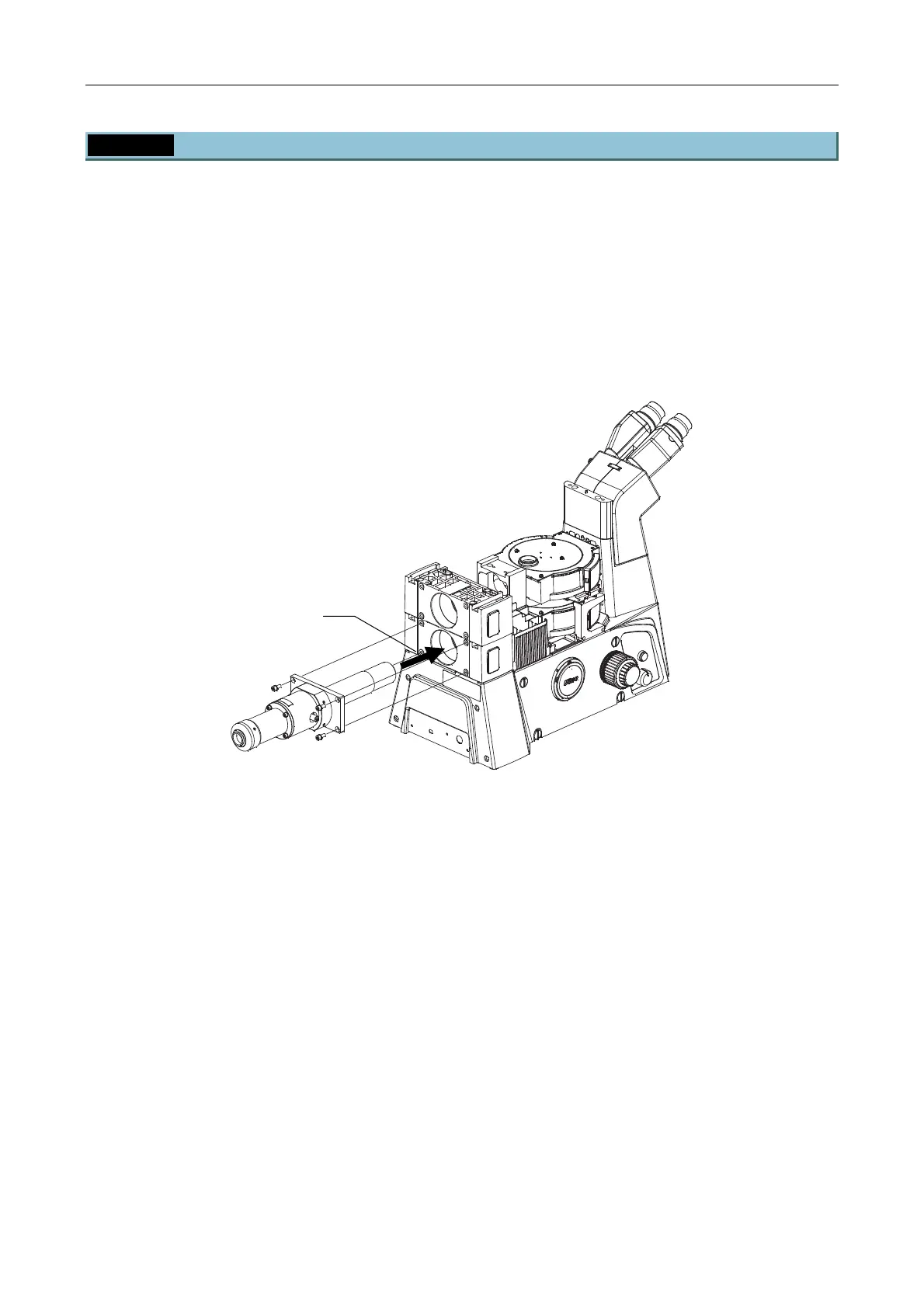
Insert the back port unit into the guide on the rear of the microscope body and use the hexagonal
screwdriver (4-mm) to secure it from behind by tightening screws.
• The following figure shows the back port unit being attached to the lower tier:
• To attach the unit to the upper tier, attach a unit to be attached to the lower tier first and then attach the
one to the upper tier.
• You must have installed the HUB controller when you use a HUB controller.
• Attach the camera at the end.
Figure 4.2-31
Insert the back port unit body


 To Next Page