140 More About Playback
❚❚ Select Date: Deleting Pictures Taken on Selected Dates
To delete all unprotected pictures taken on selected dates,
choose Delete> Select date in the playback menu and follow
the steps below.
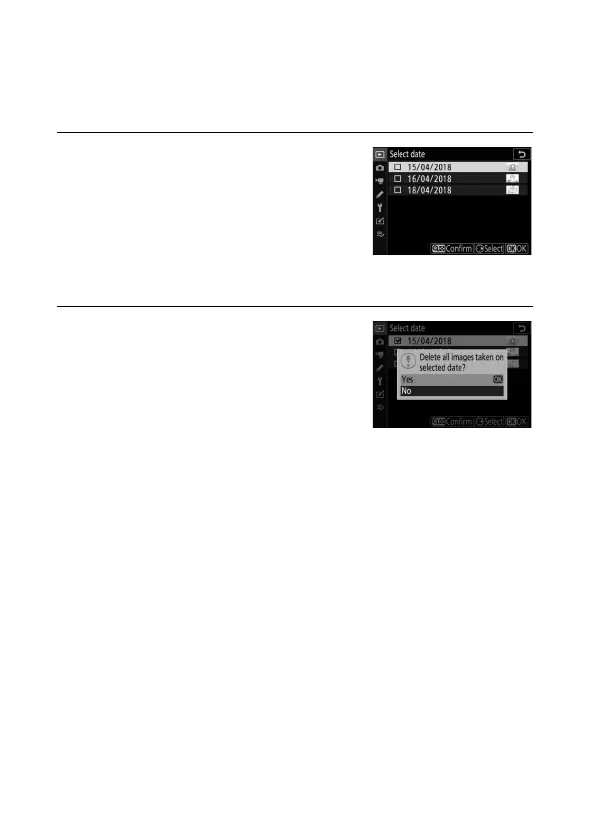
1 Select dates.
Highlight a date and press 2 to select
all pictures taken on the highlighted
date. Selected dates are marked with
a M icon. Repeat as desired to select
additional dates; to deselect a date,
highlight it and press 2.
2 Delete the pictures taken on the
selected dates.
Press J. A confirmation dialog will be
displayed; highlight Ye s and press J.


 To Next Page