319Menu Guide > N The Retouch Menu
Use the Resize option in the camera menu N tab to create small
copies of selected photographs.
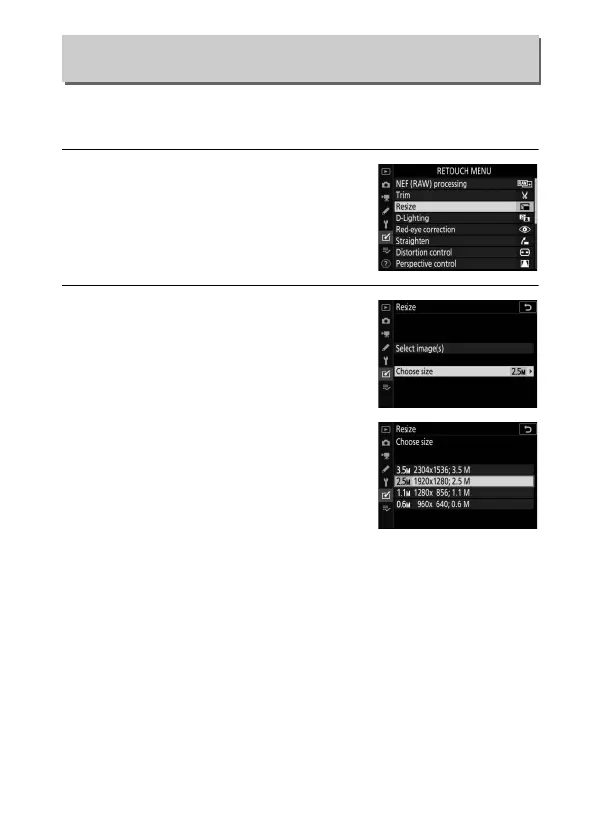
1 Select Resize.
Highlight Resize in the N tab and
press 2.
2 Choose a size.
Highlight Choose size and press 2.
Highlight the desired size and press
J
.
Resize
G button ➜ N (retouch menu)



 To Next Page