164 Menu Guide > C The Photo Shooting Menu
Choose a file format for photographs. For more information, see
“Image Quality” (0 102).
Choose the size, in pixels, of photographs recorded with the
camera. Select JPEG/TIFF to choose the size of JPEG and TIFF
images, NEF (RAW) to choose the size of NEF (RAW) images.
Z7:
Image Quality
G button ➜ C (photo shooting menu)
Image Size
G button ➜ C (photo shooting menu)
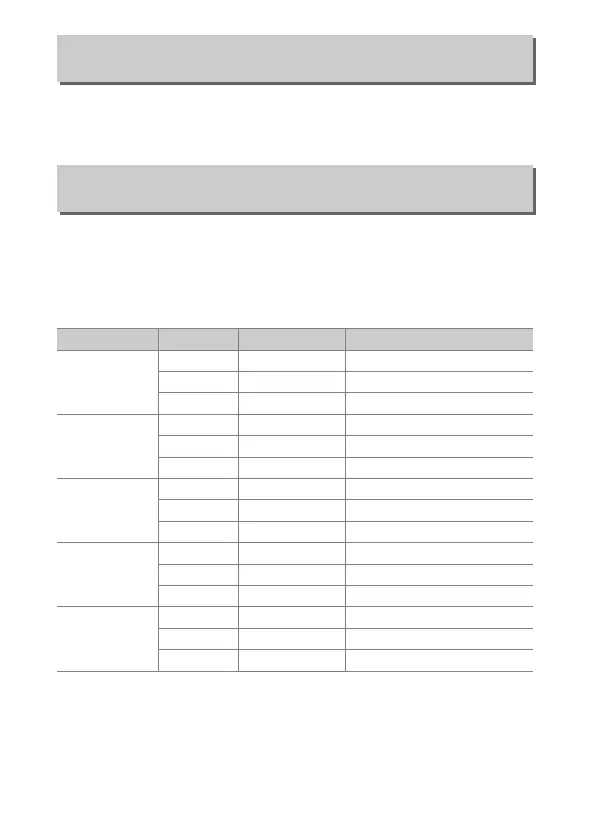
Image area Option Size (pixels) Print size (cm/in.)
*
FX (36×24)
FX format
Large 8256 × 5504 69.9 × 46.6/27.5 × 18.3
Medium 6192 × 4128 52.4 × 35.0/20.6 × 13.8
Small 4128 × 2752 35.0 × 23.3/13.8 × 9.2
DX (24×16)
DX format
Large 5408 × 3600 45.8 × 30.5/18.0 × 12.0
Medium 4048 × 2696 34.3 × 22.8/13.5 × 9.0
Small 2704 × 1800 22.9 × 15.2/9.0 × 6.0
5 : 4 (30×24)
Large 6880 × 5504 58.3 × 46.6/22.9 × 18.3
Medium 5152 × 4120 43.6 × 34.9/17.2 × 13.7
Small 3440 × 2752 29.1 × 23.3/11.5 × 9.2
1 : 1 (24×24)
Large 5504 × 5504 46.6 × 46.6/18.3 × 18.3
Medium 4128 × 4128 35.0 × 35.0/13.8 × 13.8
Small 2752 × 2752 23.3 × 23.3/9.2 × 9.2
16 : 9 (36×20)
Large 8256 × 4640 69.9 × 39.3/27.5 × 15.5
Medium 6192 × 3480 52.4 × 29.5/20.6 × 11.6
Small 4128 × 2320 35.0 × 19.6/13.8 × 7.7
* Approximate size when printed at 300dpi. Print size in inches equals image size in pixels
divided by printer resolution in dots per inch (dpi; 1 inch= approximately 2.54cm).


 To Next Page