242 Menu Guide > 1 The Movie Shooting Menu
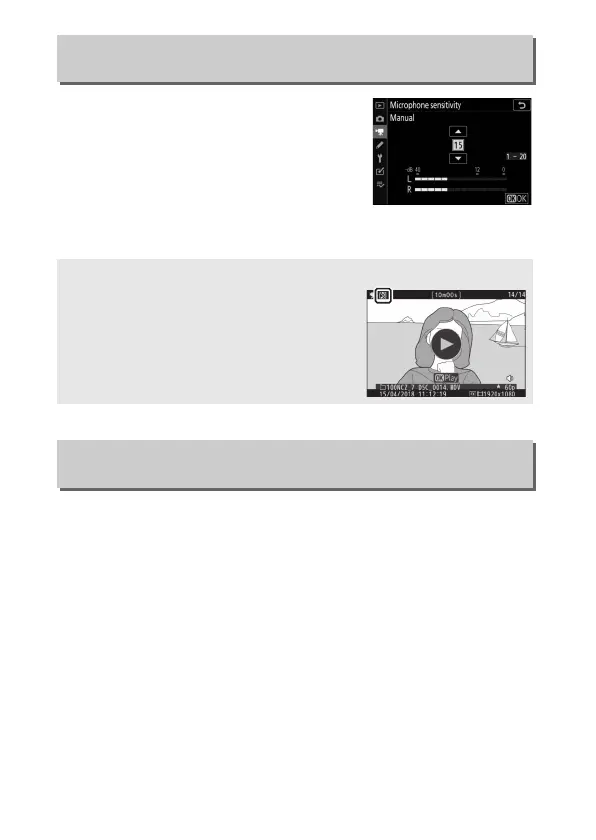
Turn built-in or external microphones on
or off or adjust microphone sensitivity.
Choose Auto to adjust sensitivity
automatically or Microphone off to turn
sound recording off; to select
microphone sensitivity manually, select
Manual and choose a sensitivity.
Select Enable to reduce microphone gain and prevent audio
distortion when recording movies in loud environments.
Microphone Sensitivity
G button ➜ 1 (movie shooting menu)
D The 2 Icon
Movies that were recorded without sound
are indicated by a
2
icon in movie and full-
frame playback.
Attenuator
G button ➜ 1 (movie shooting menu)


 To Next Page