305Menu Guide > B The Setup Menu
Adjust settings for optional WR-R10 wireless remote controllers
and for optional radio-controlled flash units that support
Advanced Wireless Lighting.
LED Lamp
Enable or disable the status LEDs on a WR-R10 wireless remote
controller mounted on the camera. For more information, see
the documentation supplied with the wireless remote controller.
Link Mode
Choose a link mode for WR-R10 wireless remote controllers
mounted on other cameras or radio-controlled flash units that
support Advanced Wireless Lighting. Be sure that the same
mode is selected for the other devices.
• Pairing: To pair the camera with a WR-R10, mount the WR-R10
on the camera and press the pairing button.
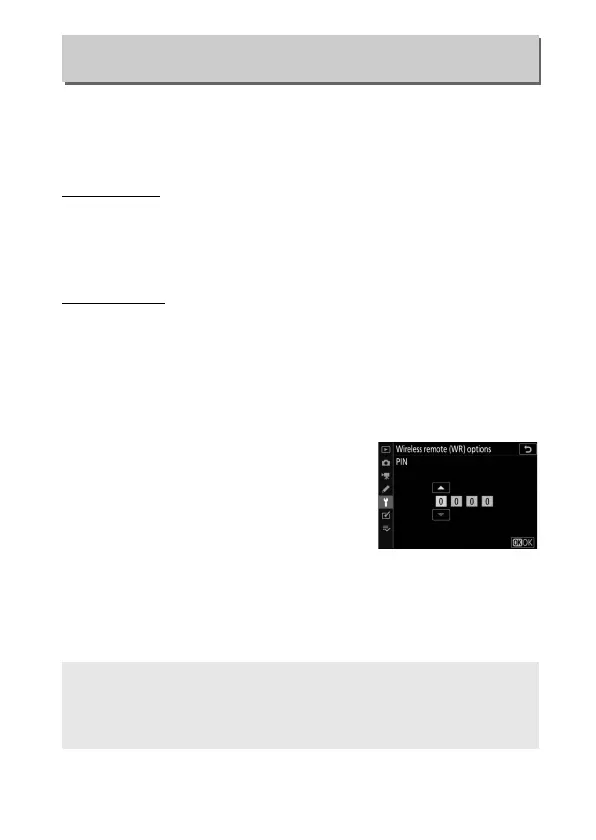
• PIN: Connect using a four-digit PIN
code. Press 4 or 2 to highlight digits
and press 1 or 3 to change, then press
J to enter and display the selected PIN.
Regardless of the option selected for Link mode, signals from
paired wireless remote controllers will always be received by the
WR-R10. Users of the WR-1 wireless remote controller will need
to select pairing as the WR-1 link mode.
Wireless Remote (WR) Options
G button ➜ B (setup menu)
D The WR-R10 Wireless Remote Controller
Be sure the firmware for the WR-R10 has been updated to the latest
version (version 3.0 or later). For information on firmware updates, see
the Nikon website for your area.


 To Next Page