178 Menu Guide > C The Photo Shooting Menu
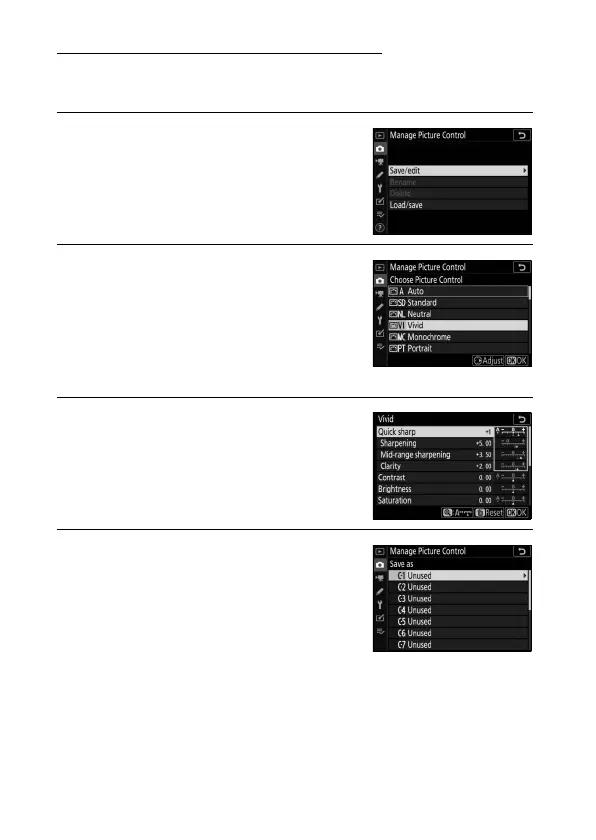
Creating Custom Picture Controls
The Picture Controls supplied with the camera can be modified
and saved as custom Picture Controls.
1 Select Save/edit.
Highlight Save/edit and press 2.
2 Select a Picture Control.
Highlight an existing Picture Control
and press 2, or press J to proceed to
Step 4 to save a copy of the
highlighted Picture Control without
further modification.
3 Edit the selected Picture Control.
To abandon any changes and start
over from default settings, press the
O button. Press J when settings are
complete.
4 Select a destination.
Choose a destination for the custom
Picture Control (C-1 through C-9) and
press 2.


 To Next Page