199Menu Guide > C The Photo Shooting Menu
• Keep all exposures: Choose On to save the individual shots that
make up each multiple exposure, Off to discard the individual
shots and save only the multiple exposure.
• Overlay shooting: If On is selected, earlier exposures will be
superimposed on the view through the lens during shooting.
• Select first exposure (NEF): Choose the first exposure from the NEF
(RAW) images on the memory card.
Creating a Multiple Exposure
Follow the steps below to shoot a multiple exposure.
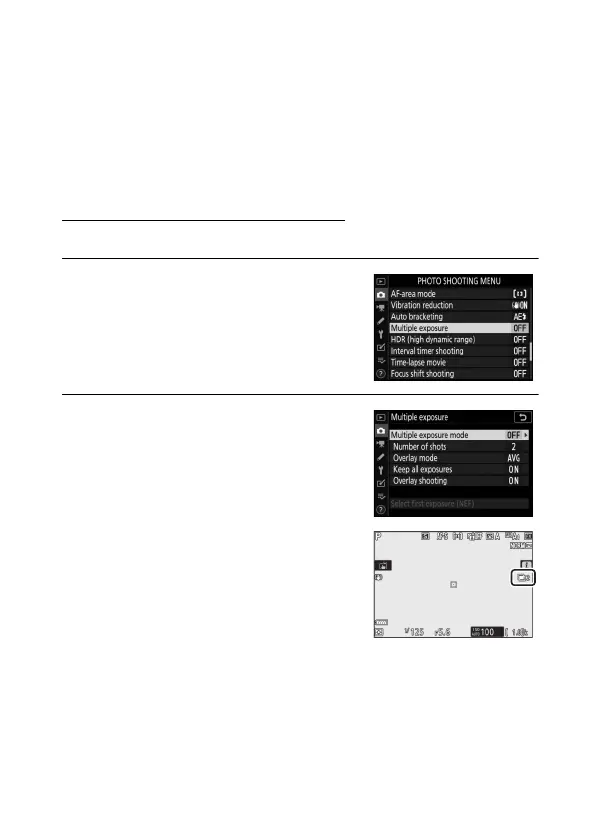
1 Select Multiple exposure.
Highlight Multiple exposure in the
photo shooting menu and press 2.
2 Select a mode.
Highlight Multiple exposure mode
and press 2, then press 1 or 3 to
choose the desired mode and press
J to select.
If On (series) or On (single photo) is
selected, an icon will appear in the
display.


 To Next Page