11Getting to Know the Camera
❚❚ Adjusting Settings
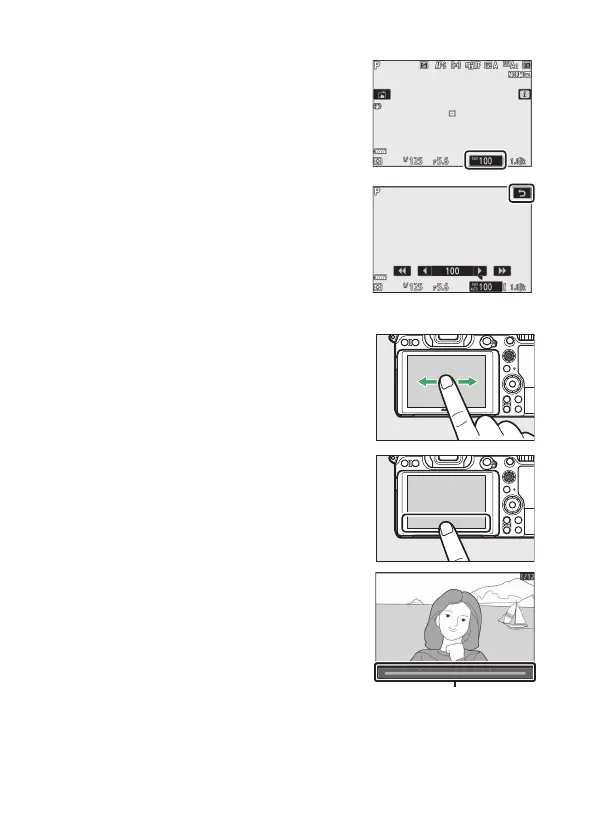
Tap highlighted settings in the display
and choose the desired option by
tapping icons or sliders. Press J to
select the chosen option and return to
the shooting display or tap Z to exit
without changing settings.
❚❚ Playback
Flick left or right to view other pictures
during full-frame playback.
In full-frame view, touching the bottom
of the display brings up a frame-
advance bar. Slide your finger left or
right over the bar to scroll rapidly to
other pictures.



 To Next Page