374 Remote Flash Photography
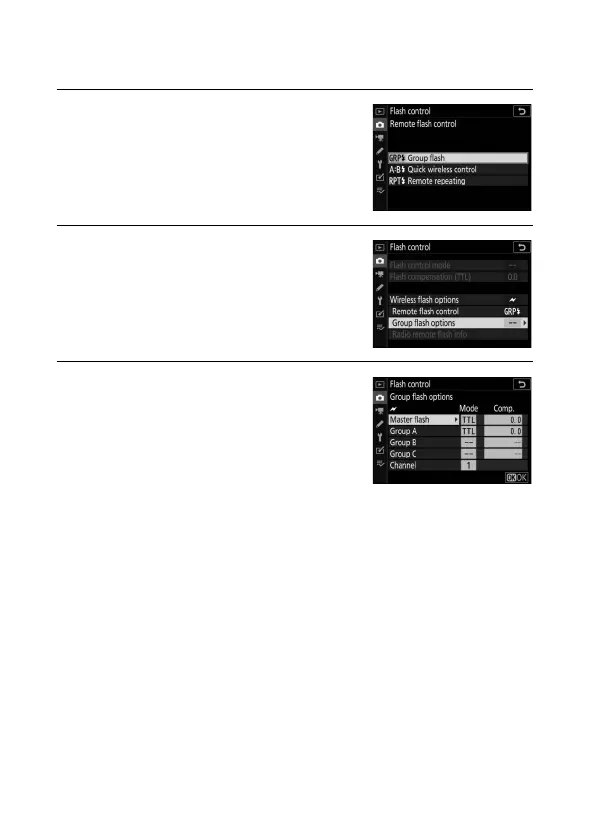
❚❚ Group Flash
Select this option to adjust settings separately for each group.
1 C: Select Group flash.
Select Group flash for Flash
control> Remote flash control in
the photo shooting menu.
2 C: Select Group flash options.
Highlight Group flash options in the
flash control display and press 2.
3 C: Adjust settings for the master
flash.
Choose the flash control mode and
flash level for the master flash and the
flash units in each group:
• TTL: i-TTL flash control
• qA: Auto aperture (available only with compatible flash
units)
• M: Choose the flash level manually
• – – (off): The units do not fire and the flash level cannot be
adjusted


 To Next Page