376 Remote Flash Photography
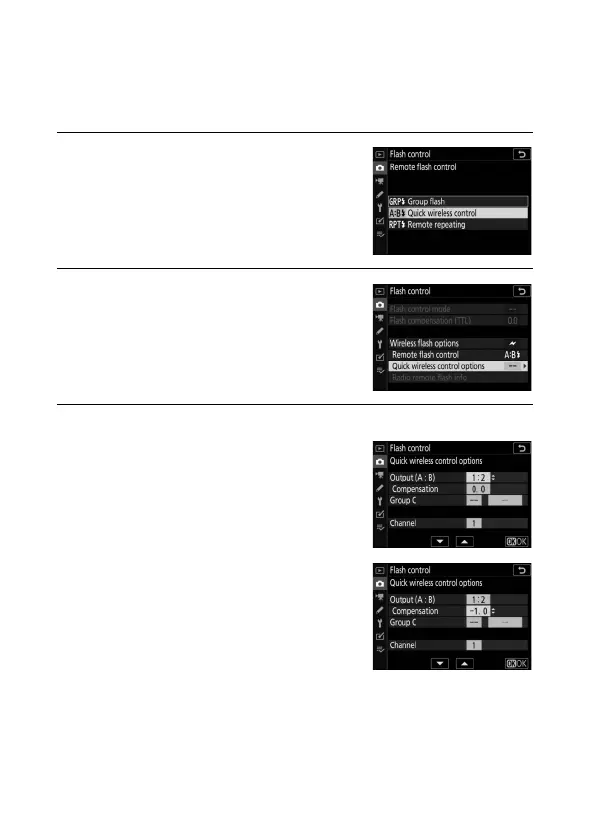
❚❚ Quick Wireless Control (SB-5000 Only)
Select this option to control overall flash compensation for, and
the relative balance between, groups A and B, while setting
output for group C manually.
1 C: Select Quick wireless control.
Select Quick wireless control for
Flash control> Remote flash
control in the photo shooting menu.
2 C: Select Quick wireless control
options.
Highlight Quick wireless control
options in the flash control display
and press 2.
3 C: Adjust flash settings.
Choose the balance between groups
A and B.
Adjust flash compensation for groups
A and B.



 To Next Page