415Technical Notes
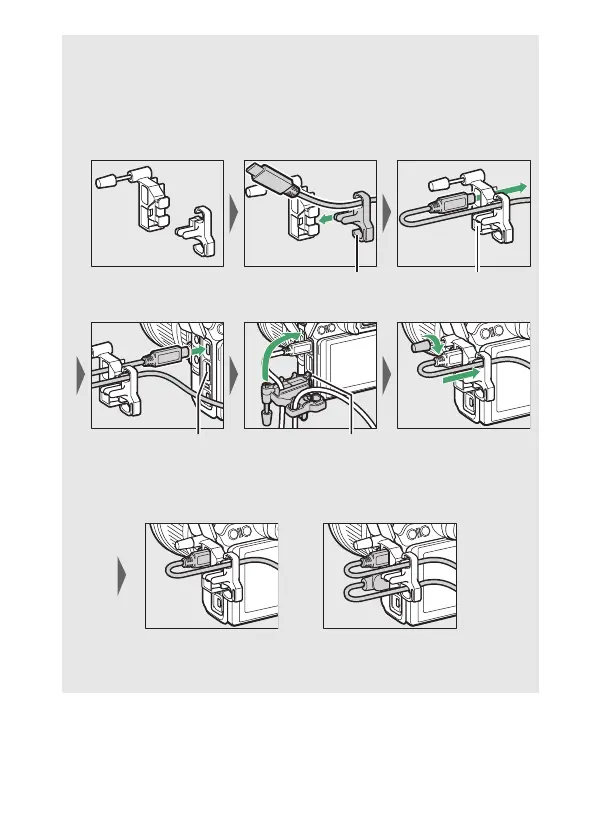
D The HDMI/USB Cable Clip
To prevent accidental disconnection, attach the supplied clip to HDMI
cables or to the supplied USB cable as shown (the illustration shows
the USB cable; note that the clip may not fit all third-party HDMI
cables). Keep the monitor in the storage position when using the
cable clip.
HDMI cable goes
here
HDMI cable goes
here
HDMI cable goes
here
Insert tab into
matching slot on
camera and attach
cable clip
USB cable HDMI cable and USB
cable used
simultaneously



 To Next Page