30 First Steps
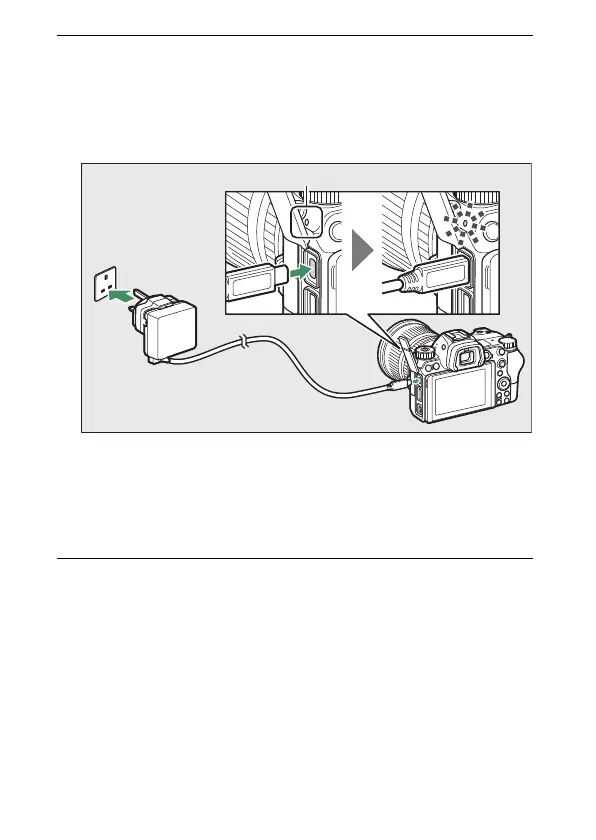
2 After confirming that the camera is off, connect the
charging AC adapter and plug the adapter in. Insert the
plug or plug adapter straight into the socket rather than at
an angle, and observe the same precaution when
unplugging the charging AC adapter.
The camera CHARGE lamp lights amber while charging is in
progress and turns off when charging is complete. Note that
although the camera can be used while connected, the
battery will not charge and the camera will not draw power
from the charging AC adapter while the camera is on.
3 Unplug and disconnect the charging AC adapter when
charging is complete.
CHARGE lamp
Outlet
Charging AC adapter



 To Next Page