NIRStar 14.1 - User Manual
Page 22 of 124
5.2 Predefined Montages
NEW FEATURE
NIRStar14-1 provides a new quick setup of the hardware configuration according to the desired
experiment design to be chosen under the tab Predefined Montages of the Hardware Configuration.
The tabs Channel Setup ( 5.3), Topo Layout ( 5.4) and Channel Masking ( 5.5) are automatically updated
to the configuration that corresponds to the chosen layout, if the required number of sources and/or
detectors does not exceed the limits set in the Hardware Specification tab (see section 5.1).
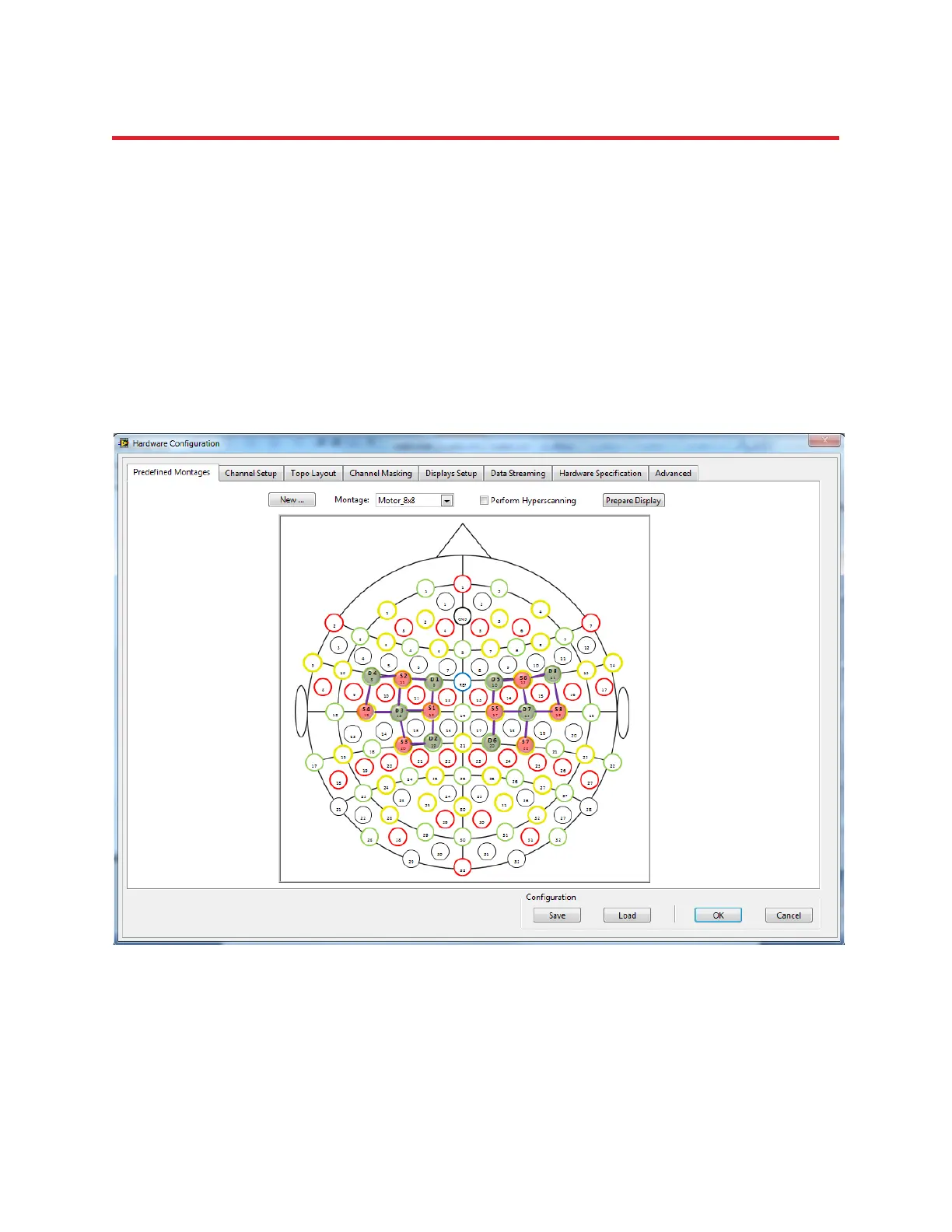
Moreover, a picture of the chosen layout is displayed for the user, where the positions of each source
and detector on the 10-10 standard NIRx cap is shown to the user (Figure 6).
Figure 6. Montage Motor_8x8 has been chosen under Predefined Montages tab and cap layout is displayed.



 To Next Page