Page 19/55 68_Afficheur_Multidisplay_um_UK_11
2.6 SENSOR SETTINGS
Go to the main menu by pressing and select to display the
« sensors » page.
All sensors connected to the Topline bus can be calibrated from this menu. Settings
are different for each sensor. Refer to the sensor’s manual for more information.
Main settings:
•
Filter : the filter takes the data average value to set a data refresh rate. This
damping set for apparent wind speed, boat speed and heading (Regatta
compass) affects the autopilot’s “True Wind” mode.
• Offset : applies a correction to data for some sensors.
• Coefficient : applies a correction factor for calibration.
• Reset : back to default settings of the selected sensor.
Data set up process:
• Select the data you want to modify and press .
(Trip Log, Apparent Wind Angle, Boat speed…)
• Modify it with and confirm with .
2.6.1 Calibration wizard
Calibration wizards are available to help you calibrate the apparent wind angle, the
boat speed and a fluxgate compass (not available for the REGATTA compass).
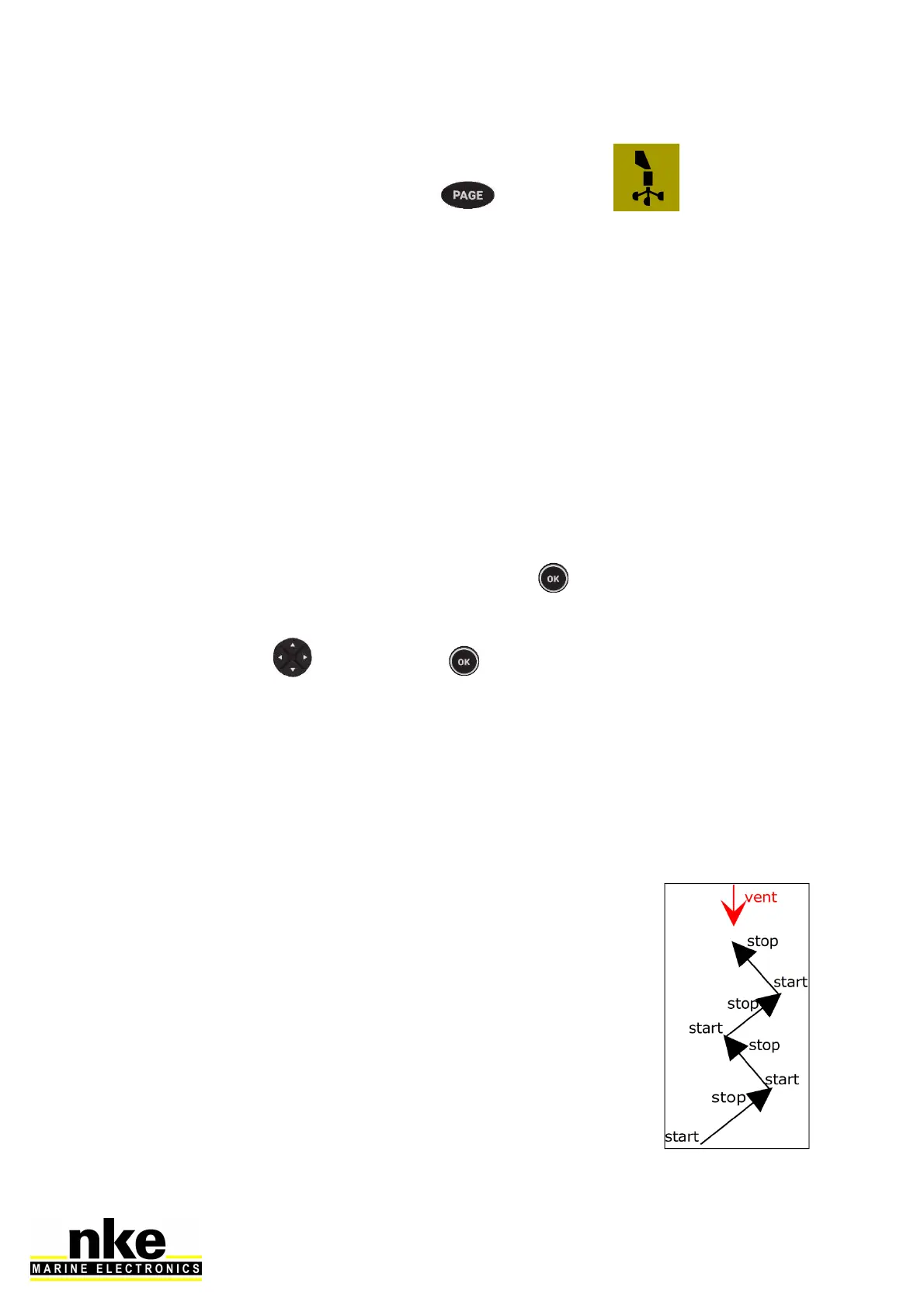
2.6.2 Apparent Wind Angle calibration wizard
Sail 4 legs upwind to measure the average wind angle on each
tack. A wind vane offset will be calculated and applied to correct
the Apparent Wind Angle.
Apparent Wind Angle values must be similar from one tack to
another (+-1°) when the calibration is correct. If this is not the
case, the wind may have shifted, or the crew cannot sail with the
same angle on each tack upwind!



 To Next Page