Page 35/55 68_Afficheur_Multidisplay_um_UK_11
2.11.2.2 Custom page
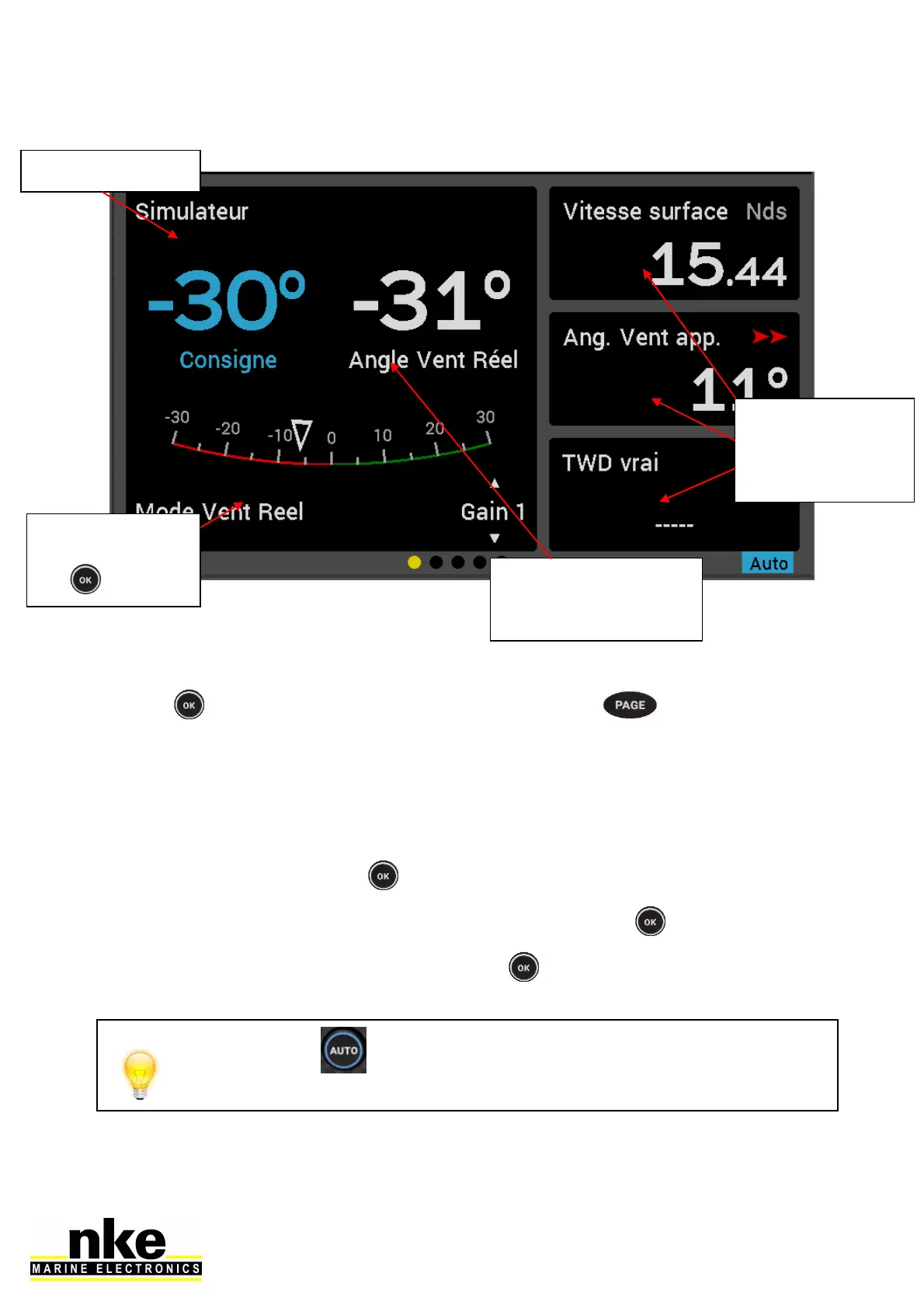
Press to access the pilot mode and settings. Press to cancel the last
action.
2.11.3 Pilot Modes
Select the pilot mode as follow:
• On the page Pilot, Press .
• A window will open, « Mode select » is highlighted, press .
• Select the mode desired and confirm with .
Press and hold (>3s) to go directly to the Pilot Mode menu. This
shortcut is available from any page
Sensor and value for
the related and
selected pilot mode.
Pilot’s course to steer
Pilot Mode.
Accessible with
the
User’s selected
data, set up
according to the
user’s preference



 To Next Page