UDO LP400 User Guide
_____________________________________________________________________________________________________
LP400 User Guide (02/11) v5.2
10
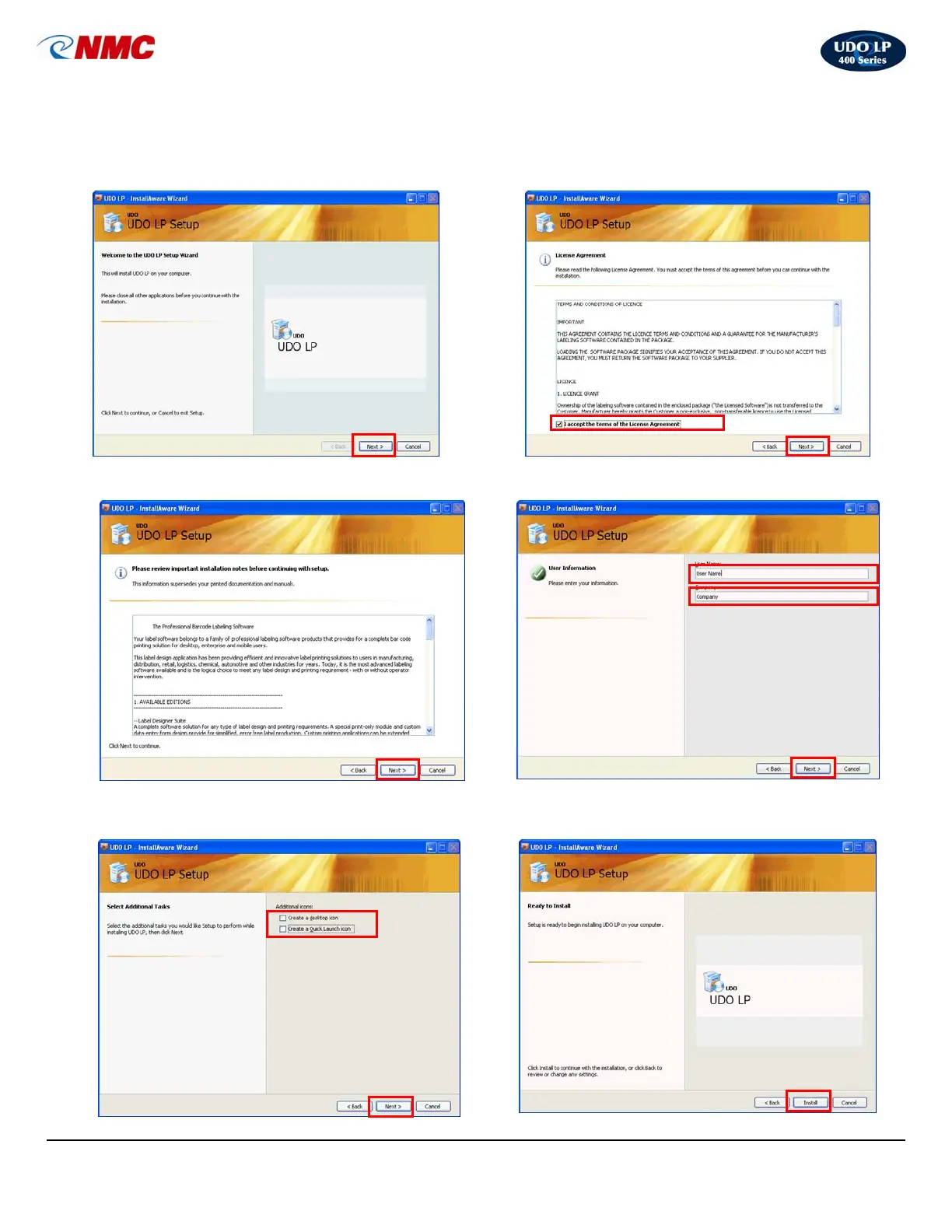
7. Click ‘Next’ and follow the step-by-step Setup
Wizard to install the LP400 Series Software.
(Note: The default options which are set are
those which are recommended.)
8. ‘Click’ accept the terms of the License
Agreement and Click, ‘Next’.
9. Review Installation Notes, Click ‘Next’. 10. Enter user name and company; Click, ‘Next’.
11. If you wish to create a Desktop or Quick Launch
icon, ‘check’ and Click, ‘Next’
12. Click, ‘Next’ to begin the installation procedure.



 To Next Page