UDO LP400 User Guide
_____________________________________________________________________________________________________
LP400 User Guide (11/07)
26
Images can be various sizes. If the original size of the graphic is not valid for the size of
the label, you can resize the image by dragging the handles surrounding it. The image
can be resized proportionally or stretched in both directions.
The graphic objects can also be placed on the label from the clipboard or imported from
another applications (i.e. Corel Draw, scanning programs, etc.) using either the ‘Insert
Object’ or ‘Paste’ command from the ‘E
dit’ menu. By using this method the graphic is
embedded in the label file. This means it is entirely stored in the label file and is not
stored separately on the hard disk. However, graphics imported this way can be saved
to the file at any time.
When you define graphics as a variable object (some variables define the name of the
picture), Label Designer does not know the size of the picture in advance. This
information is provided only at the time of print or preview. There will be a picture-box on
the screen containing a large question mark when this occurs.
F. Multi-band Printing: Creating Large Signs & Labels
This section will take you through the basic steps of how to create a multi-band or tiled
label or sign. For more in-depth information, click the ‘H
elp’ menu at the top of the
screen or contact NMC.
The Multi-band printing option allows you to print larger labels and signs than the
maximum width supported on your printer. The label bands can then be joined together
to form one large label or sign. The UDO LP400 Series Software is capable of printing
from 2 to 5 vinyl strips of 4” widths; enabling you to produce signs up to 20” in height.
For example, if your printer has 4" wide print head, you can normally print only 4" wide
labels. But with enabled multi-band printing you can print two bands of labels. When you
join them the result will be 8" wide label.
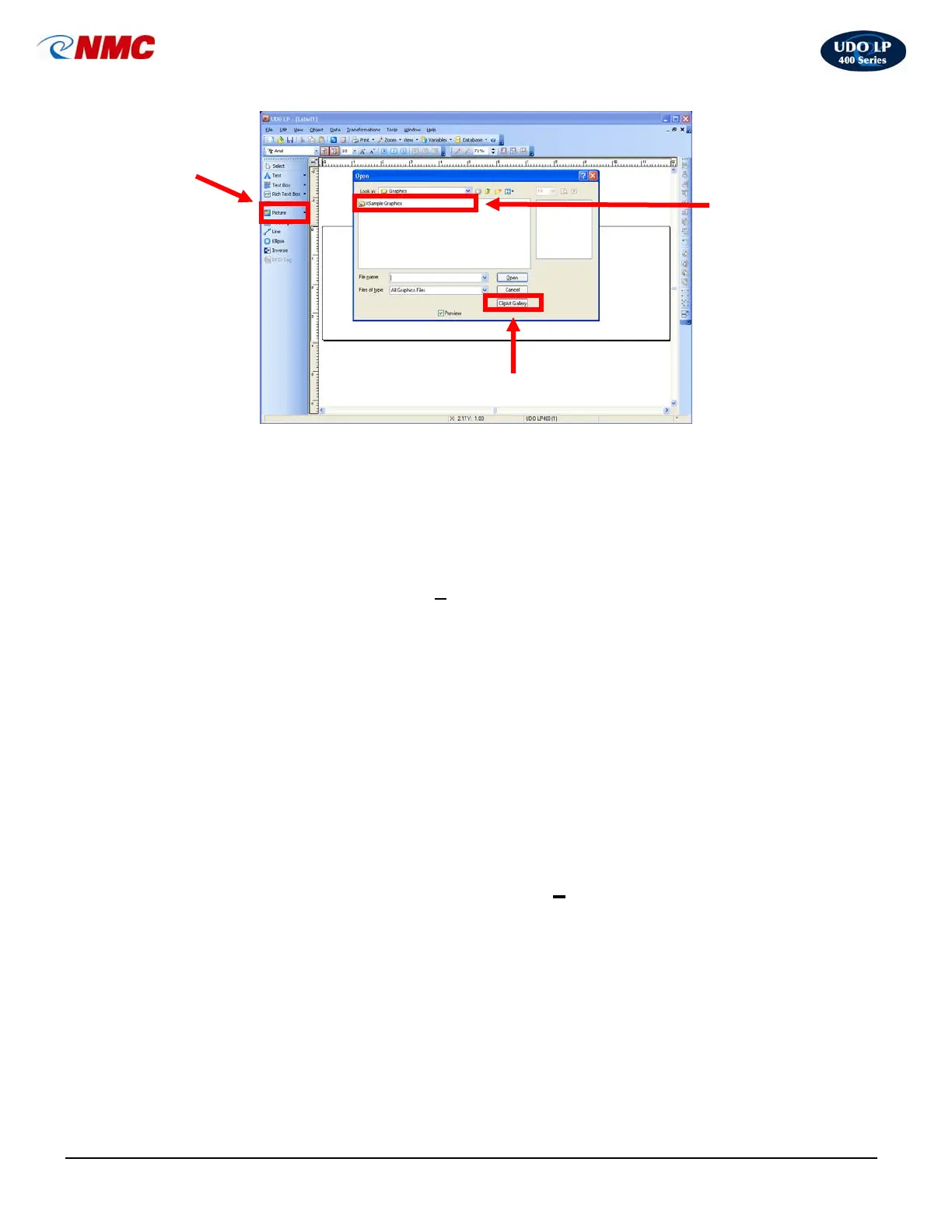
Picture object
in toolbox
Locate/Open Picture on
hard drive
O
en Cli
art Galler
Fig. 5



 To Next Page