UDO LP400 User Guide
_____________________________________________________________________________________________________
LP400 User Guide (11/07)
20
B. Inserting Text
This section will take you through the basic steps of how to insert text onto a label. For
more in-depth information, click the ‘H
elp’ menu at the top of the screen or contact
NMC.
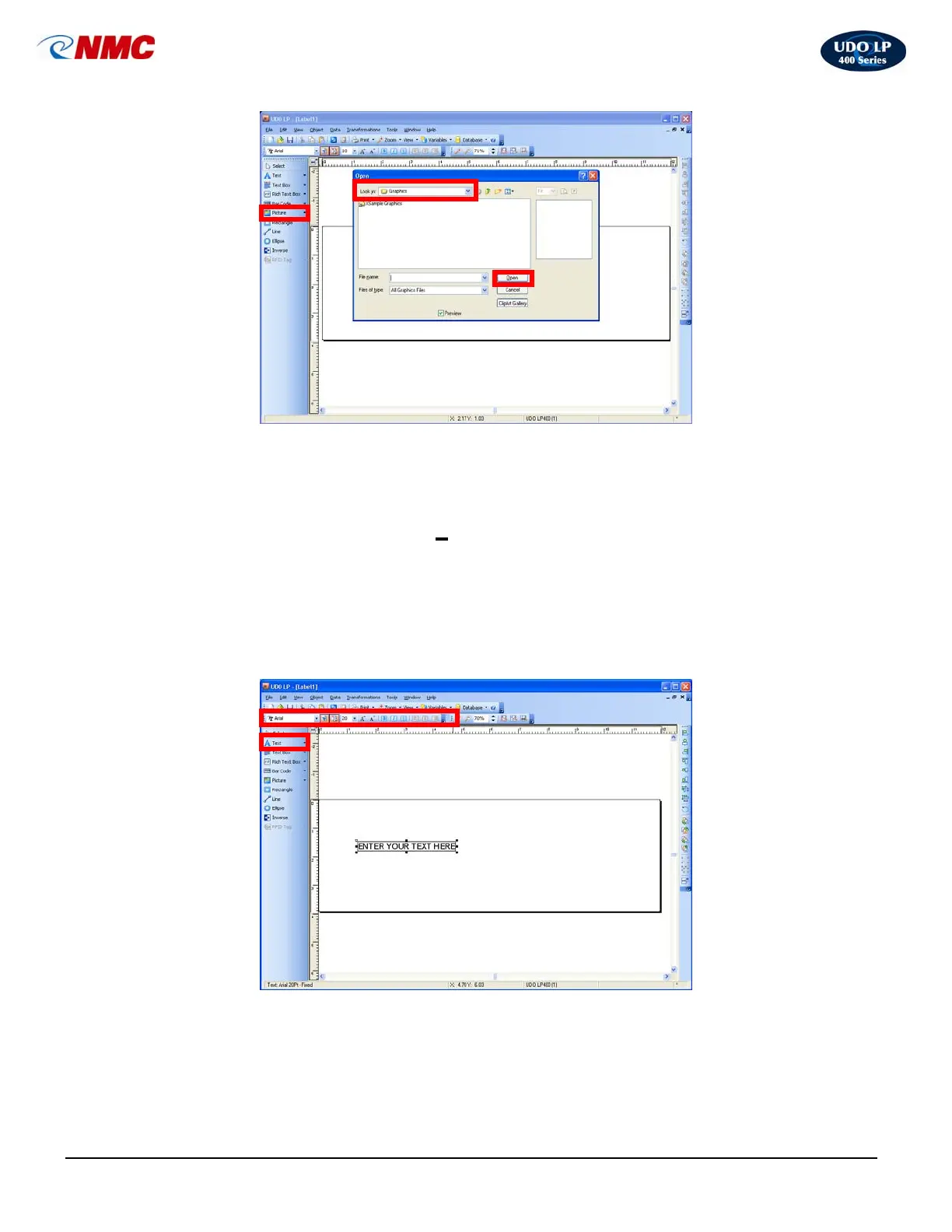
1. Click on the ‘Text’ button (Fig. 2) located on the toolbox toolbar to the left of
the screen (Note: The A will appear next to the cursor.) Move the cursor to
the correct position on the label field then click. A dialog box will open.
2. Type your message (Fig. 2). As you type a text box will appear. Adjust the
text appearance from the ‘Text Toolbar’ (Fig. 2).
Fig. 2
Fi
. 1



 To Next Page