UDO LP400 User Guide
_____________________________________________________________________________________________________
LP400 User Guide (11/07)
37
D. Multi-Band Printing
Multi-band printing or tiling enables you to make signs and labels up to 20 inches in
height and 43 inches in length. The UDO LP400 Series Software is capable of printing
from 2 to 5 vinyl strips of 4” widths enabling you to produce signs up to 20” in height.
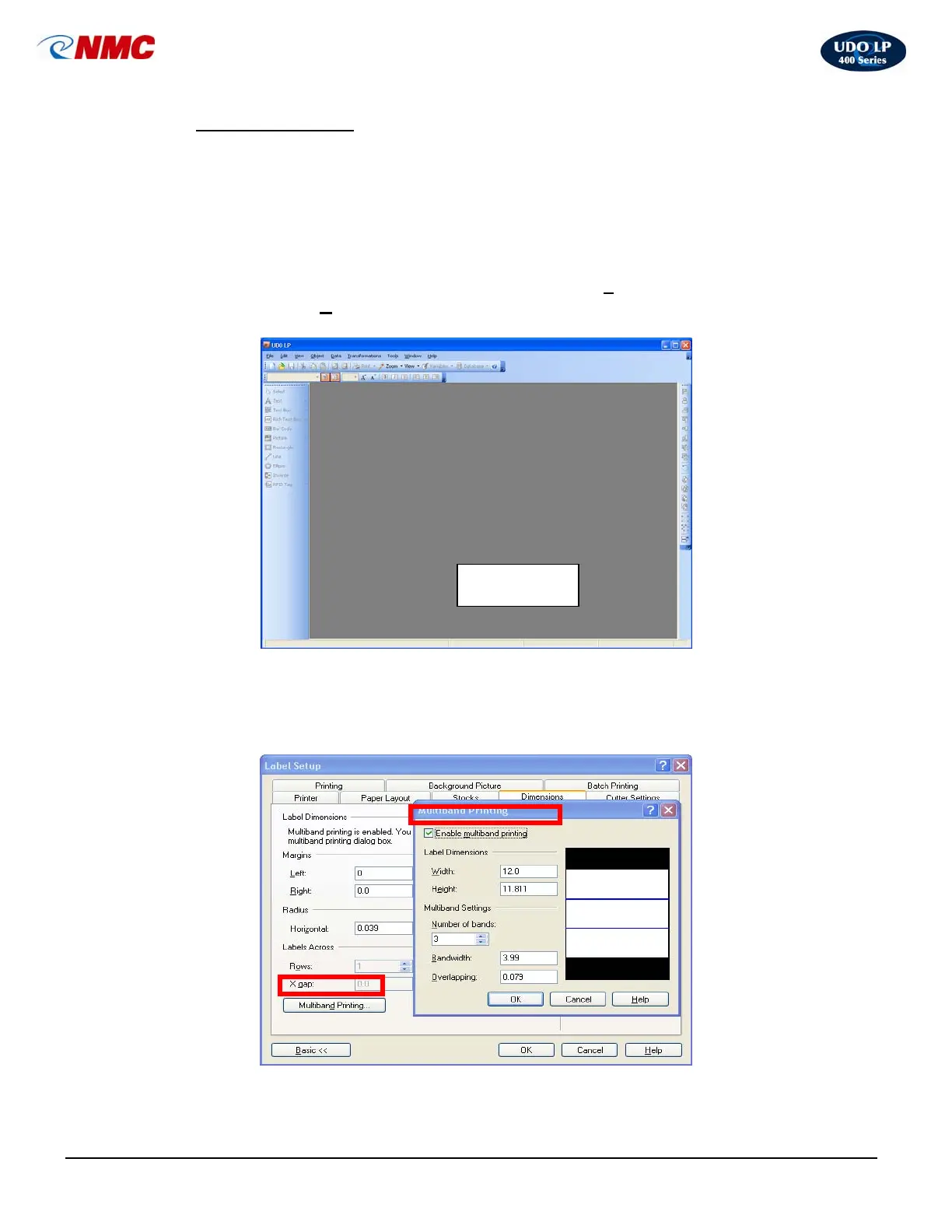
To set up a page for tiling, follow these steps:
1. Click on the ‘Create New Label’ icon or choose ‘File’ from the top menu
then select ‘N
ew’ (Fig 13).
2. Double Click on the label area (Fig. 13); a Label Setup box will open. Click
on the ‘Dimensions’ tab (Fig. 14)
Label Area
Fig. 14
Fig. 13



 To Next Page