UDO LP400 User Guide
_____________________________________________________________________________________________________
LP400 User Guide (02/11) v5.2
9
V. LOADING UDO LP400 SOFTWARE & PRINTER DRIVER
1. Connect power adaptor and USB cable to the printer.
2. Turn the printer ON; green “POWER” and “READY” light will come on.
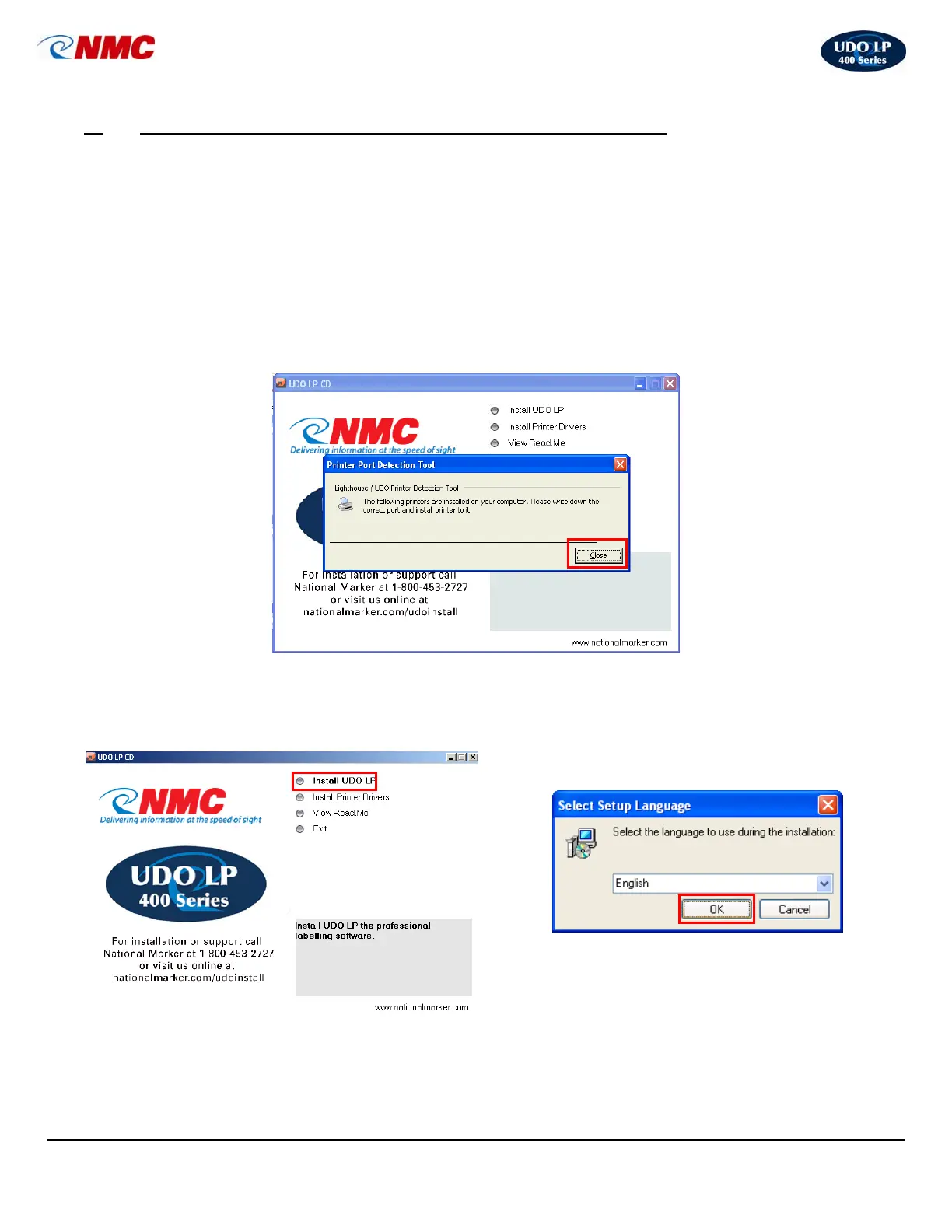
3. Insert UDO LP400 Series software CD into your computer (the screen shown in
Step #4 will appear.)
NOTE: If your computer does not support “Autorun”, open ‘My Computer’,
double-click your ‘CD drive’, and double-click ‘start.exe’.
4. A “Printer Port Detection Tool” box will open. This screen will recommend which port
the UDO LP400 Series Printer should use. Write this port down for later use and
click ‘Close’.
5. Click ‘Install UDO LP’. 6. Select the desired language from the drop-down
menu and click ‘OK’.



 To Next Page