UDO LP400 User Guide
_____________________________________________________________________________________________________
LP400 User Guide (11/07)
12
VI.
Set-up Procedure for Printing on Continuous Vinyl
1. To start the UDO LP400 Program – Double-click on the ‘UDO LP400’ desktop icon.
2. To create a new label or retrieve an existing one, Select the ‘F
ile’ menu; Select
either ‘N
ew’ to create a new label or ‘Open’ and select the label you wish to retrieve.
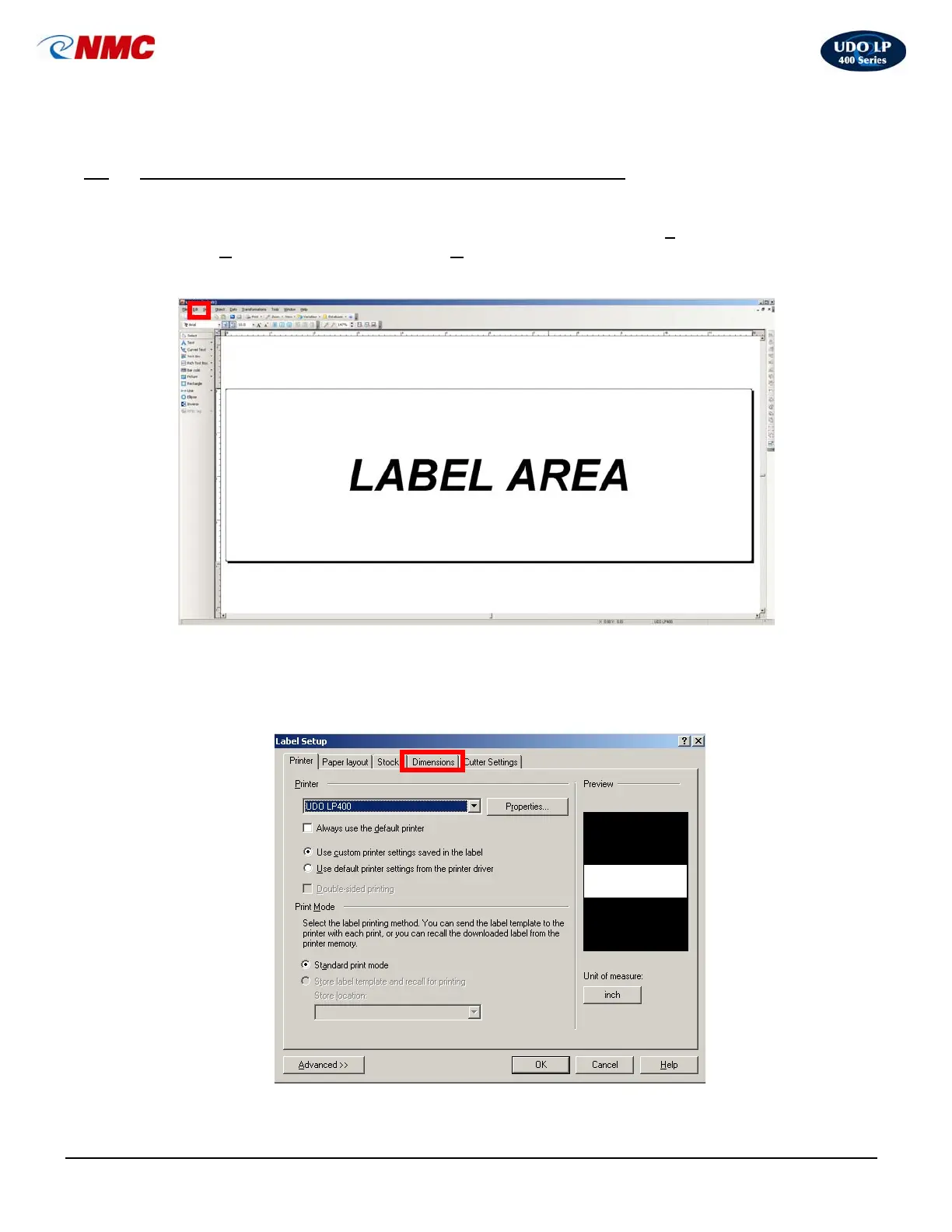
3. Double-click anywhere in the ‘Label Area’ (Fig. 1).
A. Default Settings & Adjustments
1. Label Dimensions
a. The “Label Setup” Box will open (Fig. 2). Click on the ‘Dimensions’ tab.
Fig. 1
Fig. 2



 To Next Page