RH-75 Company Confidential
Service Software Instructions Nokia Customer Care
Page 30 2005 Nokia Corporation. Issue 2 06/2005
Updating the FPS-8* flash prommer SW
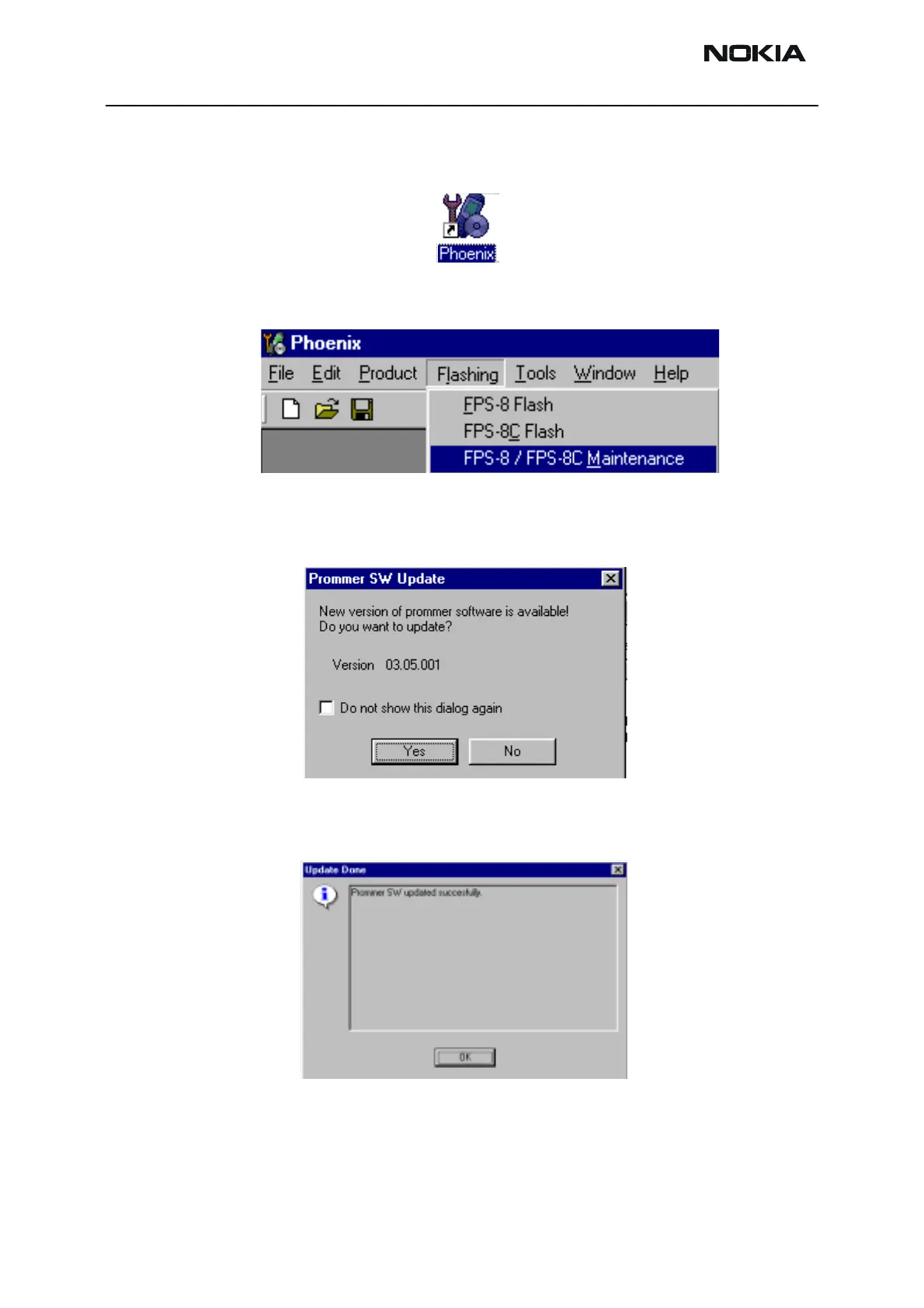
Start Phoenix Service Software
Select”FPS-8 / FPS-8C maintenance” from”Flashing” menu.
When new FPS-8 flash update package is installed to computer you will be asked to
update the files to your FPS-8 prommer. Select”Yes” to update files..
Update procedure takes a couple of minutes, please wait until you are notified that
update has been successful. Choose “OK” and close “FPS8 Maintenance” – UI. .
0200



 To Next Page