Chapter 39 Hardware procedures 267
Multiservice Switch 7400 Hardware Installation, Maintenance, and Upgrade 6.1S2
Installing a floor-mounted Multiservice Switch 7440
Install a floor-mounted Multiservice Switch 7440 using four feet to allow for
adequate ventilation.
Prerequisites
• You need a vertical mount kit with PEC NTHQ08.
• Ground yourself to an appropriate anti-static discharge apparatus while
handling the shelf assembly (device).
Procedure steps
1 Tip the cabinet on its side.
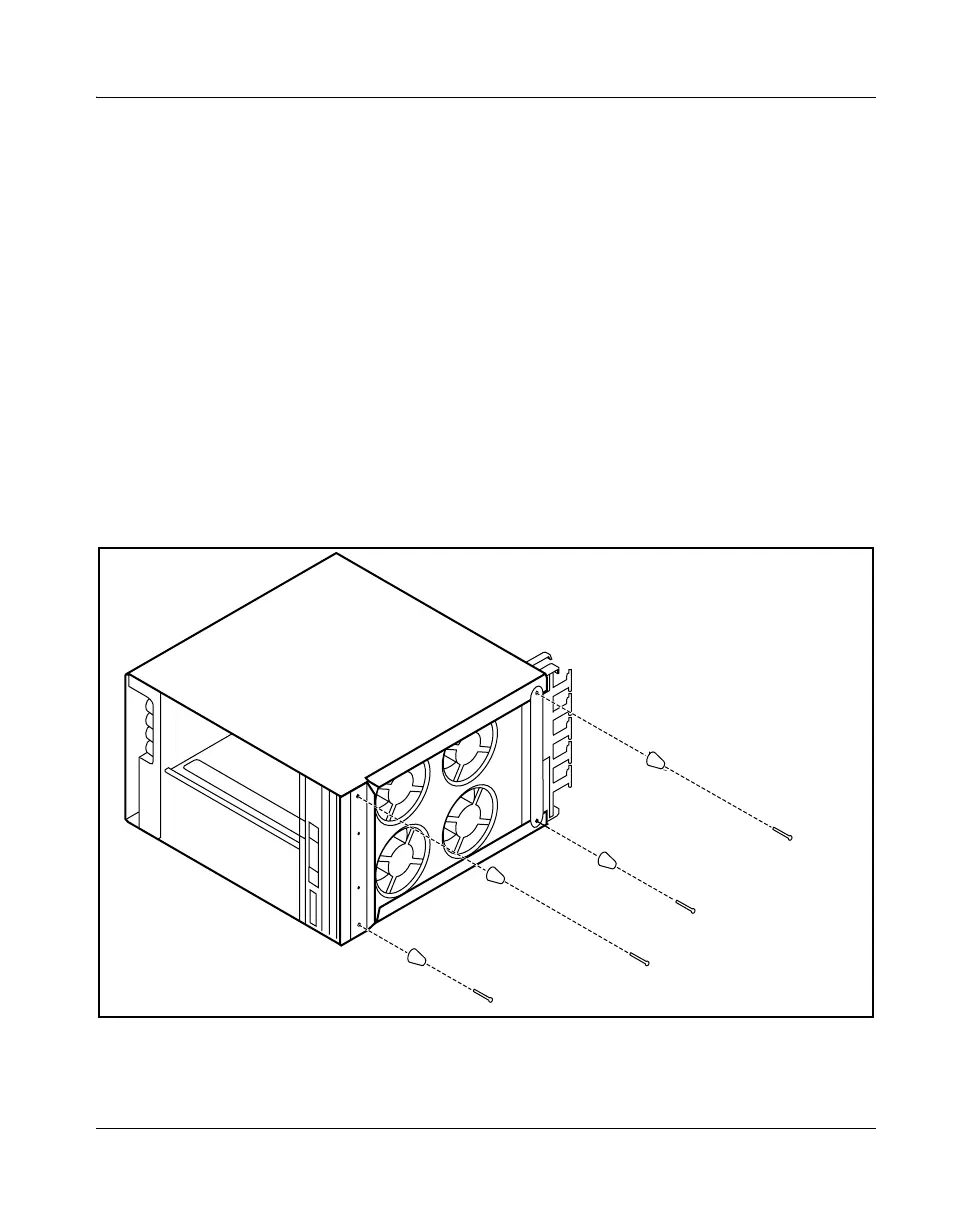
2 Secure the feet with the 4 screws provided as shown in the figure
“Securing the feet to the bottom of a floor-mounted device” (page 267).
Figure 88
Securing the feet to the bottom of a floor-mounted device
3 Move the device to the appropriate place and set it on its feet. You need 2
people to lift the device.
PPT 0910 001 AA



 To Next Page