The abbreviated numbers directories
36
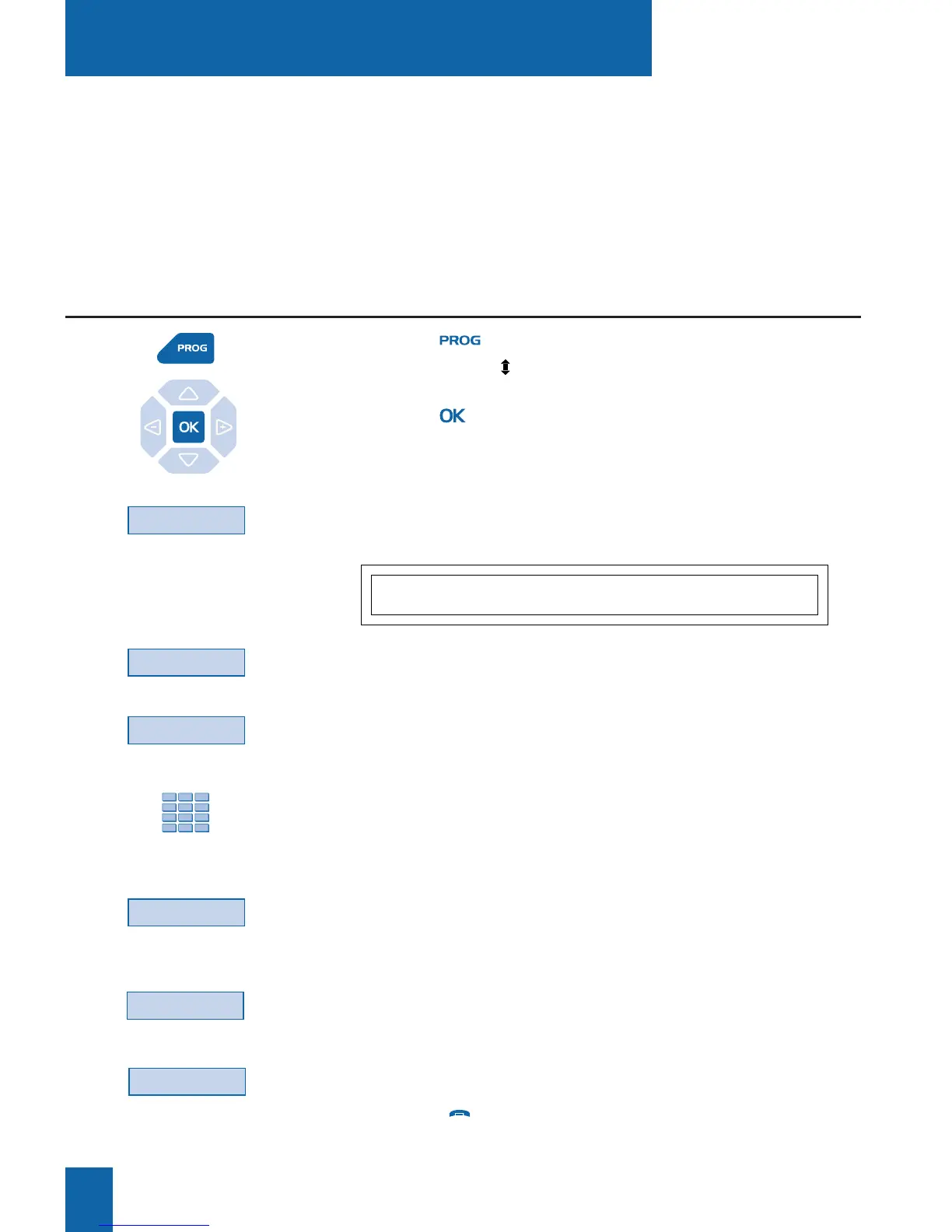
1 - Press the key.
The display shows « PROGRAMMING».
2 - Press the key.
The display shows the message "WHAT DO YOU WANT
TO PROGRAM?"
3 - Press the Abbrev# interactive key.
The display shows the current state of programming of number 0.
- Press the More interactive key successively to view the status
of other abbreviated numbers.
4 - Press the Activ. interactive key.
The display prompts you to enter the number to be programmed.
5 - Enter the correspondent's number (preceded by 0
in the case of an external correspondent).
. If you make a mistake, use the Erase interactive key.
6 - Press the Enter interactive key to finish.
The display shows the number stored.
To save another number:
- Press the More interactive key.
To display the first number:
- Press the Content interactive key.
Note: use the red key to abort or terminate the program-
ming process.
These are directories stored within the system.
- The personal directory (separate from the private directory of your set) lets you save the
numbers most frequently used (up to 10, numbered from 0 to 9).
- The collective directory can be accessed by all the telephone sets (even those with no access
to external lines).
The abbreviated numbers directories
Abbrev#
#:0 - NO NUMBER RECORDED
Content Activ. More
Activ.
Enter
More
Programming a personal abbreviated number
More
Content










 To Next Page